


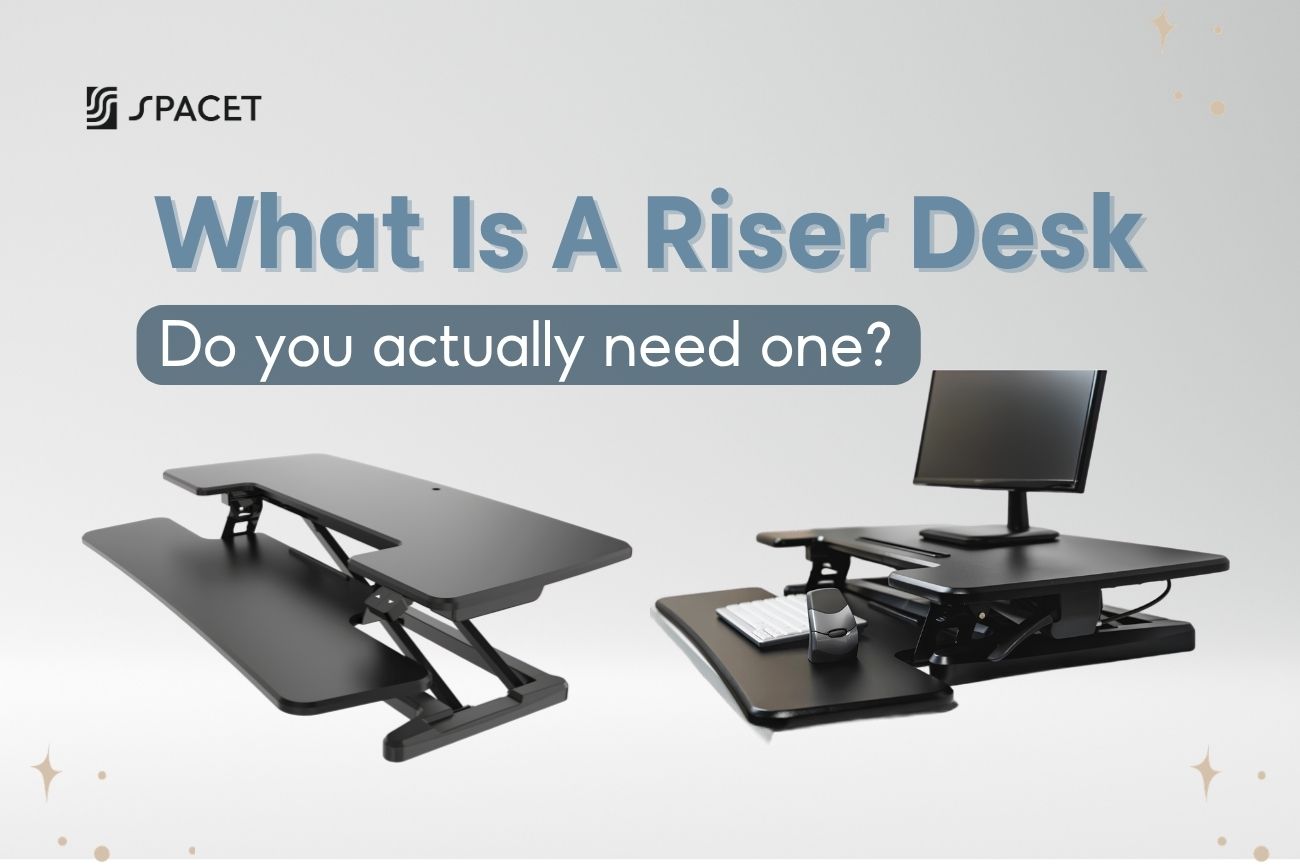
If you want to work more comfortably without replacing your entire desk, a riser desk might be exactly what you need. In this guide from Spacet, we cover what a riser desk actually is, what it's for, how it stacks up against a standing desk, and whether it's worth the investment for your setup.
What is a riser desk?
A riser desk also called a desk riser, standing desk converter, or desk converter - is a raised platform that sits on top of your existing desk. It lifts your monitor, keyboard, and mouse to a comfortable standing height so you can alternate between sitting and standing throughout the day. Think of it as a desk on top of a desk - no new furniture needed, just an add-on that changes how you use the surface you already have.

The key thing that sets it apart from a full standing desk: a riser desk doesn't replace your current desk, it only raises part of the work surface. You push it up when you want to stand, bring it back down when you want to sit, and your original desk stays exactly as it is.
That's why so many people start with a riser desk as their first step toward a more active workday. Low commitment, but real impact.
How does a riser desk work?
The concept is simple: the raised platform moves up or down on demand, giving you the flexibility to change positions throughout the day. Depending on the model, the adjustment mechanism can vary quite a bit. Here are the three most common types:
- Gas spring: The most popular option right now - uses a pneumatic piston to lift and lower the surface smoothly. One quick lever pull and you're up. No effort, no noise.
- Manual: You turn a knob or release a locking pin to adjust the height by hand. More affordable, and perfectly fine if you don't switch positions that often.
- Electric: Press a button and the surface moves on its own. The most convenient option, but also the priciest - best for people who shift positions multiple times a day or have back or wrist issues.

What is the purpose of a desk riser?
The whole point of a desk riser is to break the habit of sitting still for hours on end - something most office workers do every single day without realizing how much it adds up.
According to Sedentary Time and Its Association With Risk for Disease Incidence, published in Annals of Internal Medicine (Biswas et al., 2015), prolonged sedentary time is linked to an increased risk of cardiovascular disease and type 2 diabetes - even among people who exercise regularly.
A desk riser lets you stand up and shift your posture without stepping away from your work. It's the simplest way to break the all-day sitting loop without overhauling your entire work routine.

Beyond the health benefits, there's also an immediate, practical upside: it makes your desk noticeably cleaner and more organized. When your monitor sits at eye level, the space underneath naturally becomes a second layer for your keyboard, notebook, or phone charger - a built-in storage tier that costs you nothing extra.
To put it simply, a desk riser serves three main purposes:
- Better posture, less neck and back pain: your screen is at eye level, so you stop hunching forward.
- More energy and focus: moving between sitting and standing keeps blood flowing and helps fight the afternoon slump.
- A cleaner desk surface: the raised platform creates a natural second tier that clears up your workspace below.
Desk Riser vs Standing Desk - Which one is better?
This is probably the most common question people have when they start looking into desk risers. The honest answer is: neither is objectively better - it really comes down to your needs and budget.
| Riser Desk | Standing Desk | |
| Cost | Significantly lower | Higher, especially electric models |
| Setup | Ready to use out of the box | Requires assembly |
| Work surface | Raises only part of the desk | Entire surface moves up and down |
| Weight capacity | Typically 15-35 kg | Higher, better for multi-monitor setups |
| Footprint | Takes up space on your existing desk | Replaces your desk entirely |
| Best for | Trying out sit-stand work without a big investment | Long-term use with full ergonomic setup |
A desk riser makes more sense if you're on a tighter budget or want to try out standing work before committing to something bigger. A standing desk makes more sense if you work long hours, need space for two monitors, or want a complete ergonomic solution built to last.
One practical note: a desk riser takes up real estate on your existing desk surface, and dual-level models typically need at least 90 cm of width to sit stably. If your current desk is on the smaller side, that's worth factoring in before you buy.
Is a desk riser worth it?
Honest answer: YES! If you're the right fit for it. A desk riser is a solid choice for anyone who isn't ready to invest in a full standing desk but still wants more flexibility during the workday. Lower cost, no real setup required, and you keep the desk you already love.
That said, if you work 8-10 hours a day with a heavier setup (two monitors or more), a desk riser may fall short in terms of weight capacity and long-term comfort. The most useful question to ask yourself is: Does your current desk still work for you? If the answer is yes, a desk riser is probably the smartest, most budget-friendly upgrade you can make right now.
Types of desk riser
Desk risers come in a few distinct forms depending on their design and how they are meant to be used:
- Z-shaped/Dual-level riser: The most popular style - the top tier holds your monitor, the lower tier holds your keyboard. This split design keeps the right distance between screen and hands while standing, which matters a lot for your wrists and shoulders.
- Flat/Single-level riser: One flat surface, simpler and usually more affordable. Works well if you're using a laptop or just need to lift your screen without separating the keyboard.
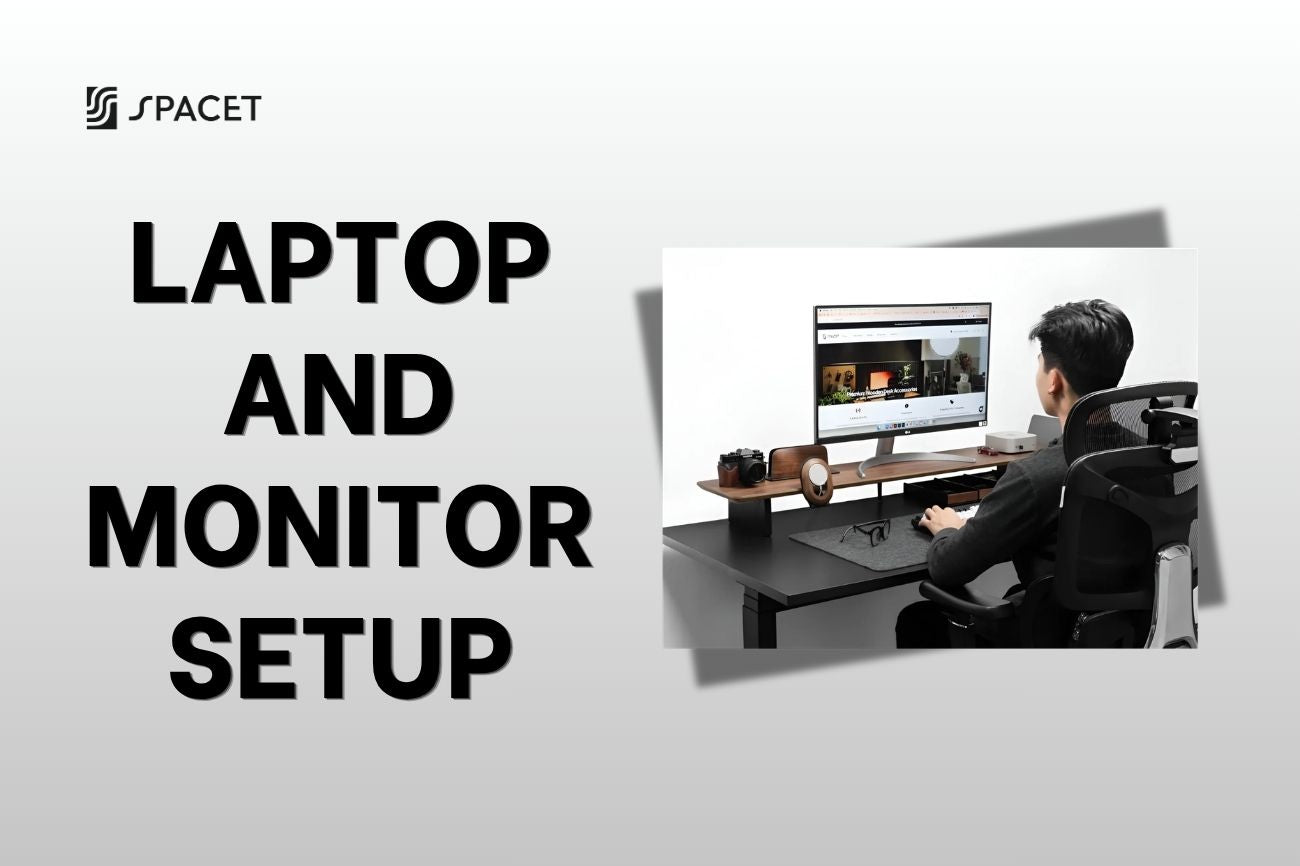
- Desk shelf: Designed purely to raise your monitor to eye level while creating usable storage space underneath. It doesn't adjust up and down like a sit-stand converter, but for people who just need to fix their screen height, it's often a cleaner and better-looking solution.

Desk Riser vs Desk Shelf - Don't mix these two up
There's a point of confusion that not everyone will tell you about: "riser desk" and "desk riser" are sometimes used to describe two very different things - one being a standing desk converter that moves up and down on demand, and the other being a desk shelf, which is simply a fixed-height monitor stand that raises your screen.
A standing desk converter works through gas spring or electric mechanisms, letting you adjust height multiple times throughout the day. A desk shelf is more static - you set the height once, place your monitor on it, and you're done. No lever, no motor, no bulk.
For a lot of people, a desk shelf is actually the more practical and better-looking option - it's compact, blends naturally into your workspace, and does the one thing most people actually need: get the screen up to eye level to relieve neck strain. It's exactly the kind of product we focus on at Spacet, through our Desk Shelf System.
What we build at Spacet
Not everyone needs a riser desk with pneumatic pistons and a two-tier converter. Sometimes, what you really need is just a monitor at the right height, a cleaner desk surface, and a setup that actually looks good. That's what we set out to build at Spacet: high-quality desk accessories designed by a team with backgrounds from top design schools in Canada, with one standard: beautiful, durable, and genuinely useful.
Desk Shelf Pro v2.0
Desk Shelf Pro v2.0 is built from 15-layer pressed walnut hardwood and an industrial aluminum frame, with a 100 kg weight capacity - more than enough for a dual 27-inch monitor setup. What makes it stand out is the built-in lower tier: your screen goes up to eye level, your keyboard and notebook sit neatly below, and your desk surface stays completely clear - no extra accessories required.

AIRY Modular Desk Shelf
AIRY Modular Desk Shelf comes with our proprietary mounting grid system, letting you attach add-ons like a storage tray, laptop stand, headphone holder, or MagSafe charger mount - wherever you want on the frame. Your setup changes over time, and AIRY Modular changes with it - no need to buy anything new from scratch.

Both are available in four wood finishes (Black Walnut, Oak, White Oak, All Black) and two sizes, designed to fit most desk setups right out of the box.
How to choose the right desk riser for you
Before you pull the trigger on any desk riser, it's worth asking yourself a few honest questions:
- How often do you actually want to switch between sitting and standing? If it's once or twice a day at most, a fixed desk shelf is enough. If you want to move freely throughout the day, go for a gas spring or electric converter.
- How wide is your current desk? Dual-level risers typically need at least 90-95 cm of width and around 60 cm of depth to sit securely. Measure before you buy.
- How heavy is your setup? A single monitor and a laptop? Almost any riser will handle that. Two large monitors? Check the weight capacity carefully before committing.
- What's your budget? Entry-level desk risers start around $100-200. Premium electric models can run $400-600 - which, at that point, overlaps with the price of some full standing desks.
Frequently Asked Questions About Riser Desks
Does a riser desk actually help with back pain?
Yes when used correctly. Keep your monitor at eye level, wrists flat while typing, and actually switch positions regularly. Most people notice real relief in neck and back tension within a few weeks.
Is a desk riser the same as a standing desk?
No. A desk riser sits on top of your existing desk and raises part of the surface. A standing desk is a full piece of furniture that raises everything. Risers are cheaper to start with; standing desks are the better long-term investment.
Can I put a desk riser on a regular wood desk?
Yes - most desk risers work on any flat surface. Just make sure your desk is wide enough and not too slippery underneath.
Which is better - a manual or electric desk riser?
Depends on how often you switch positions. Manual gas spring works well for most people. Electric is worth it if you move frequently or have physical limitations that make manual adjustment uncomfortable.
Can I use a desk shelf instead of a riser desk?
Absolutely - if your goal is better monitor height and a cleaner desk rather than standing while working, a desk shelf is often the smarter choice. The Desk Shelf Pro v2.0 and AIRY Modular Desk Shelf from Spacet do exactly that, and they look a lot better doing it.
Final Thoughts
A riser desk is a practical, low-cost first step toward a healthier workday - no new desk needed, no major commitment required. If you've been sitting in the same position for years and starting to feel it in your back or neck, it's one of the easiest upgrades you can make right now.
But if what you really need is a screen at the right height, a more organized desk, and a setup you're actually proud of, a quality desk shelf from Spacet will serve you better - and look better doing it, for years to come. Head over to Spacet Blog to read more about building a home workspace that actually works for you.

Share:
How to Set Up a Home Office That Makes You Actually Want to Work
Best Mouse Pad 2026: Top Mouse Pads for Gaming, Work & Full Desk Setup