


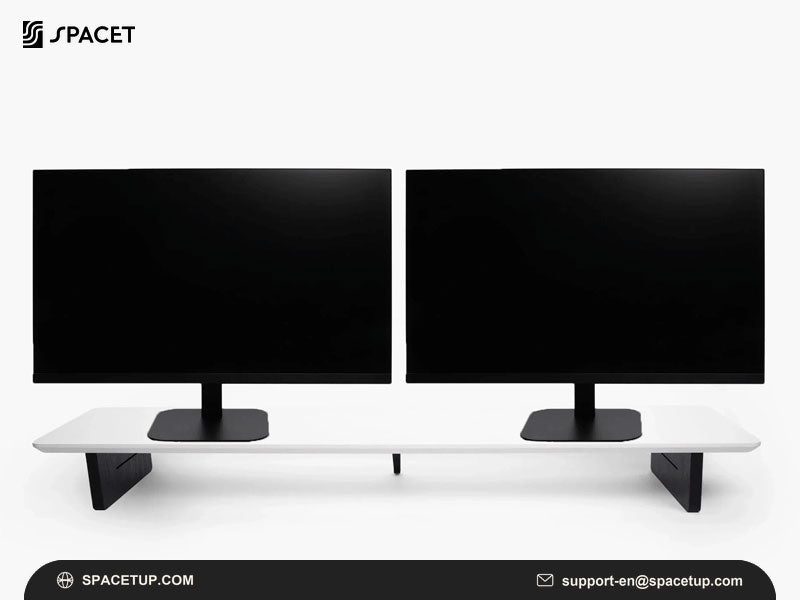
Choosing the best dual monitor stand for desk against wall setups requires more than finding support for two screens. Rear clearance, desk depth, mounting access and monitor placement all affect how efficiently the workstation can use limited space. Spacet offers desktop monitor risers and workspace accessories that help organize dual-monitor setups while making better use of the available desk surface.
What Type of Dual Monitor Stand Works Best Against a Wall?
A wall-facing desk can use monitor arms or desktop risers, but each solution handles limited rear space differently. Monitor arms provide greater adjustment, while desktop risers avoid relying on rear-edge mounting and can be easier to integrate when a desk sits close to a wall.
When does a low-profile monitor arm work near a wall?
A low-profile arm can work when the desk provides enough rear-edge access for its clamp or grommet mount. The arm must also have sufficient room to move without pushing the monitor or hardware into the wall.

Check the full movement path rather than only the mounting point. An arm may fit when centered but require considerably more space when the display is tilted, pulled forward or repositioned.
When is a desktop monitor riser more practical?
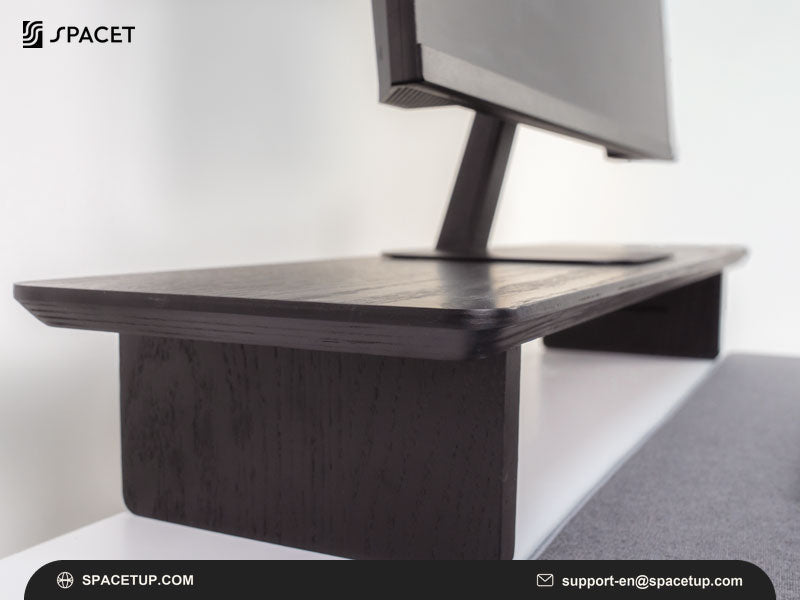
A desktop riser rests directly on the work surface, eliminating the need to install a clamp behind the desk. This approach is useful for fixed or semi-fixed screen arrangements where frequent height and angle adjustments are unnecessary.
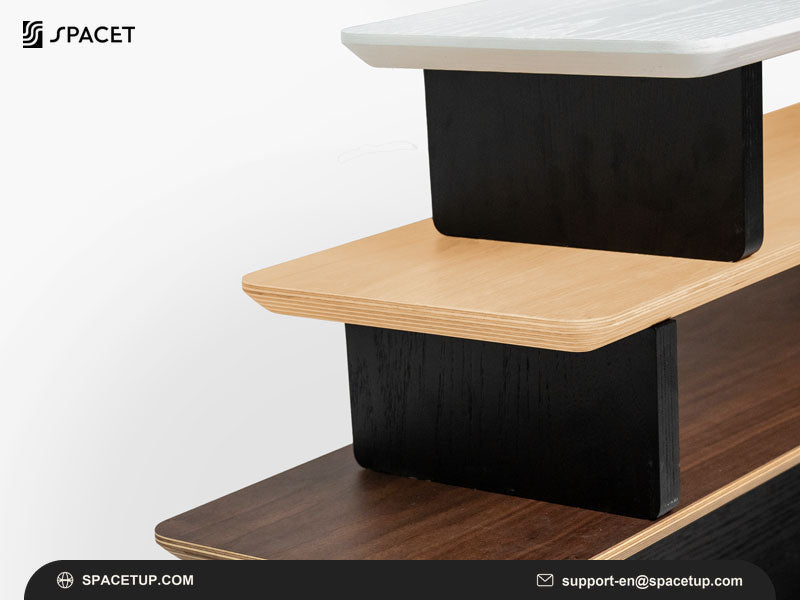
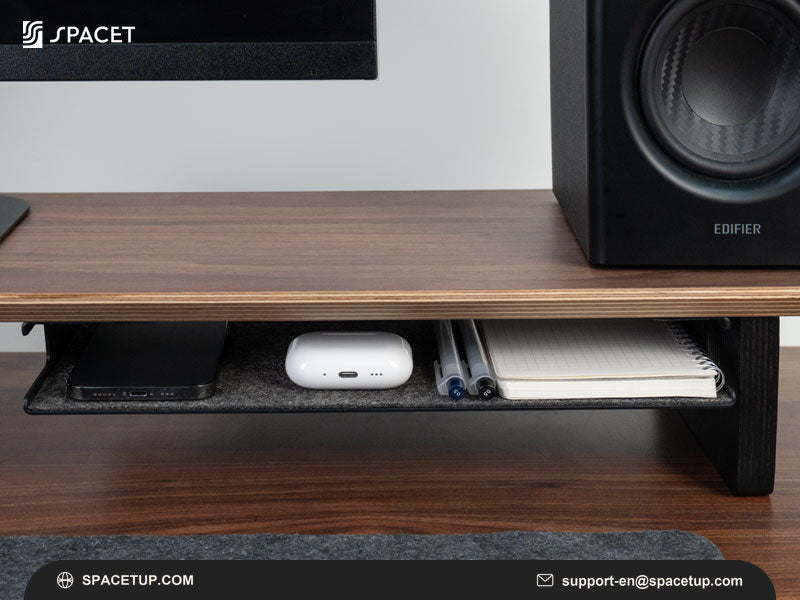
Spacet's Monitor Stand v2.0 follows this desktop format, providing an elevated platform with open space underneath for smaller desk essentials.
How Much Space Should You Leave Between Dual Monitors and the Wall?
There is no universal wall-clearance measurement for every dual-monitor workstation. Required clearance depends on monitor depth, base dimensions, cable connections and the movement range of the selected support hardware. Measure the complete setup rather than estimating clearance from screen size alone.
Why does monitor depth matter near a wall?
A display is more than its screen panel. The rear housing, stand, base and connected cables all add depth.
Power, HDMI, DisplayPort and USB cables may also extend directly from the back of a monitor. Leaving suitable cable clearance reduces pressure on connectors and prevents the wall from forcing cables into awkward bends.
Why does monitor-arm movement need extra clearance?
Articulating arms change their footprint as the screens move. Pushing a display backward, rotating the screen or changing the viewing angle may move part of the arm toward the wall.
This issue differs from choosing a dual monitor stand for corner desk layouts, where usable straight width and corner geometry often become the main constraints. A wall-facing desk makes rear clearance and depth more important.
Can You Use a Monitor Arm When the Desk Touches the Wall?
A monitor arm may still be possible, but rear-edge access, clamp dimensions and arm geometry must be checked before installation. A desk positioned flush against a wall can prevent a clamp from reaching the desktop edge even when the work surface itself is large enough for two monitors.
What should you check before installing a clamp mount?
Inspect the desk from both above and below. Important factors include:
- desktop thickness;
- access to the rear edge;
- support frames beneath the desk;
- cable trays and drawers;
- wall trim or baseboards;
- clamp dimensions;
- space required for cables.
A grommet mount may offer another installation route when a compatible opening exists, but the desktop and mounting hardware still need to meet the manufacturer's requirements.
Would moving the desk slightly forward help?
Sometimes a small amount of additional space can make rear mounting possible. However, moving the desk should solve a specific clearance problem rather than becoming an automatic recommendation.
Consider room dimensions, cable routing and the resulting gap behind the desk before changing the furniture position.
How Can Two Desktop Monitor Risers Work on a Wall-Facing Desk?
Two individual desktop risers can create a flexible dual-screen arrangement without requiring a single rear-mounted structure. Each display receives its own platform, allowing the spacing between monitors to follow the actual screen dimensions and available desk width.

Can two Spacet Monitor Stand v2.0 units create a dual-screen layout?
Using two individual Monitor Stand v2.0 units is one configuration worth considering when each monitor meets the stand's specifications. The two platforms can be positioned independently, allowing the screens to sit side by side or angle slightly toward the primary viewing position.
This configuration should not be treated as a dedicated dual-monitor mounting system. Monitor weight, base dimensions and total desk width should still be checked individually.
For particularly large displays, the same principle applies when evaluating a dual monitor stand for 32 inch screens: actual weight and physical dimensions provide more useful compatibility information than diagonal screen size alone.
When are individual risers more practical than one wide shelf?
Two separate risers provide independent placement, making them useful when monitor spacing needs to change without moving an entire shelf.
A wide desk shelf creates one continuous elevated surface and can provide more unified organization. The better format depends on whether flexible screen placement or integrated storage is more important for the workstation.
How Can You Recover Desk Depth With Two Monitors Against a Wall?
The monitor arrangement is only one part of a shallow workstation. Moving secondary devices into vertical or under-monitor storage can recover useful surface area for the keyboard, mouse and active work. This approach is particularly valuable when two display bases already occupy much of the rear desktop.
How can vertical laptop storage free the working area?
A laptop connected to external monitors does not always need to remain open and flat on the desktop. When the workflow allows the computer to operate closed, vertical storage can significantly reduce its horizontal footprint.
The Laptop Dock v2.0 provides a dedicated vertical position for a compatible laptop, keeping more of the desk available for active equipment.
Where should everyday accessories go?
Use the space underneath monitor risers for items that need to remain accessible but do not require permanent positions in the main working area. A keyboard, notebook or small accessories can move into this zone when not in use.
This creates a simple hierarchy: displays at the rear, active input devices in the center and secondary equipment stored vertically or underneath raised surfaces.
What Should You Measure Before Buying a Dual Monitor Stand for a Wall-Facing Desk?
Record both desk and monitor dimensions before comparing products. The most useful measurements are usable desk width, desk depth, wall clearance and the physical footprint of each display. For mounted systems, desktop thickness and rear-edge accessibility are equally important.
Which desk measurements matter most?
Measure:
- usable desktop width;
- total desk depth;
- distance between the rear edge and wall;
- desktop thickness;
- accessible mounting area underneath the desk.
Measure the actual work surface rather than relying only on the manufacturer's overall desk dimensions.
Which monitor measurements matter most?
Record the width and depth of each display, base dimensions, weight and the location of rear cable connections. For monitor arms, also check the required VESA pattern and supported weight range.
Complete these checks before you buy monitor stand hardware or related accessories. Physical compatibility should narrow the available options before materials and appearance influence the final choice.
Which Dual-Monitor Layout Works Best When Desk Depth Is Limited?
A side-by-side arrangement is usually the simplest when the desk provides enough horizontal space. Shallow desks may benefit from angled or vertical secondary displays because these configurations can reduce the amount of horizontal space required while keeping important information visible.

Should both monitors sit side by side?
Side-by-side positioning works well when both screens receive similar levels of attention. Keep the primary screen aligned with the main seating position and bring the secondary display close enough to avoid excessive head movement.
Could a vertical secondary monitor save space?
Portrait orientation can work well for coding, documents, messaging or reference material. The configuration depends on whether the monitor and supporting hardware allow portrait positioning.
The goal is not to make the workstation as compact as possible, but to use the available depth and width efficiently.
Build a More Efficient Wall-Facing Workspace With Spacet
A desk against a wall does not have to sacrifice organization because rear mounting space is limited. Spacet provides desktop monitor risers, vertical device storage and workspace accessories that can help make better use of available width and depth.
Start with a monitor configuration that fits the physical desk, then add accessories according to the remaining space and actual workflow. The broader Spacet workspace collection makes it easier to compare complementary solutions for keeping monitors, laptops and everyday equipment organized without unnecessarily filling the desktop.
Contact Spacet
- Website: spacetup.com
- Email: support-en@spacetup.com
- Location: Toronto, Canada

Share:
Best Dual Monitor Stand for Corner Desk: Setup & Buying Guide