


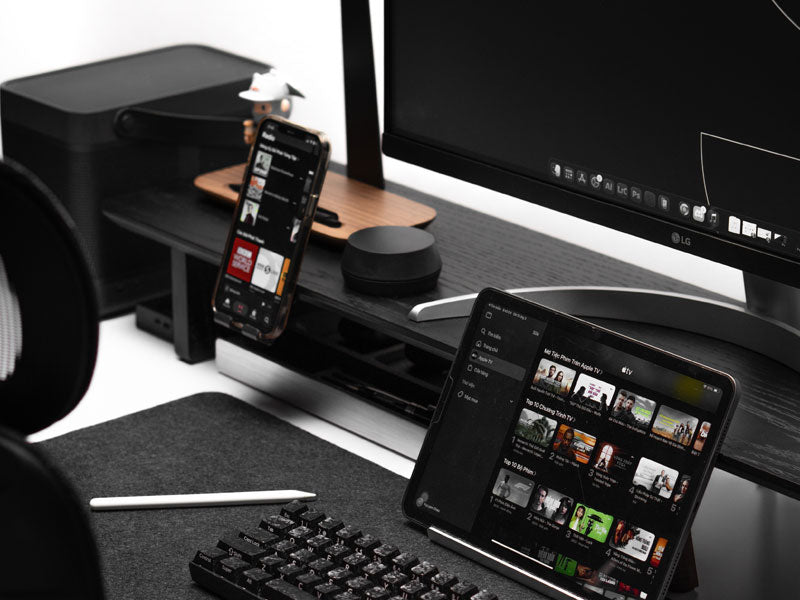
If you are wondering what is a monitor stand, it is a desktop platform designed to raise a computer display while creating useful space beneath the screen. Spacet approaches this simple function in different ways, offering compact monitor risers and broader desk shelf systems that can support a cleaner, more purposeful workstation layout.
What Is a Monitor Stand and How Does It Work?
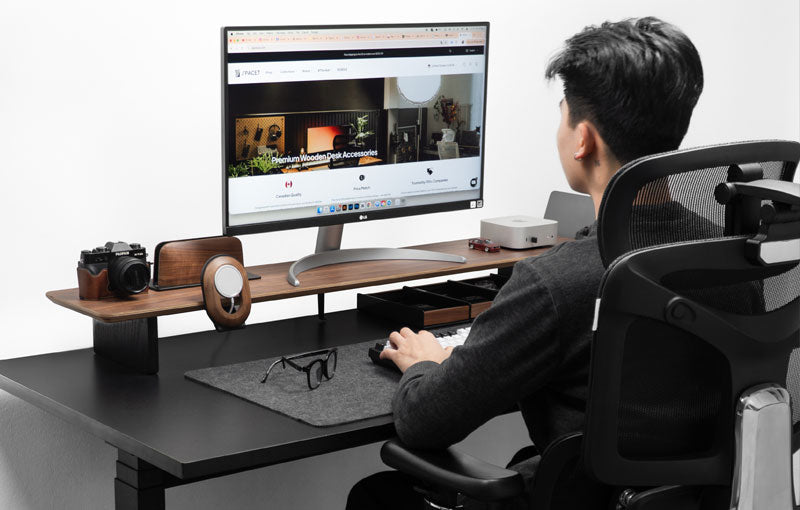
A monitor stand supports a display at a fixed height above the desk. With a typical desktop riser, the monitor remains attached to its original base, and that base rests directly on the elevated platform. This simple structure distinguishes a fixed stand from mounting systems that attach directly to the screen.

What does a monitor stand actually do?
The primary function is elevation. Raising a low-positioned screen can bring the display closer to a comfortable viewing position without changing the monitor's original base.
The elevated platform can also create clearance underneath. Depending on the stand dimensions, that space may accommodate a keyboard, notebook or small accessories when those items are not being used.
Is a monitor stand the same as a monitor riser?
The terms often describe similar desktop products. "Monitor riser" emphasizes raising the screen, while "monitor stand" can be used more broadly for a platform that supports a display.
Product structure matters more than terminology. Check whether the product is a fixed desktop platform, an adjustable mount or part of a wider desk shelf system.
Why Do People Use a Monitor Stand on a Desk?
People commonly use monitor stands to change screen height, make better use of vertical desk space and create a clearer workstation layout. A monitor stand does not physically increase the size of a desk, but an elevated surface can make the area occupied by the monitor more functional.
Can a monitor stand improve screen positioning?
A suitable stand can move the screen closer to a comfortable viewing height when the existing monitor position feels too low. The appropriate elevation depends on the user's chair, desk, monitor and working position.
For that reason, the best monitor stand is not automatically the tallest option. The goal is to create useful elevation that fits the existing workstation.
Does a monitor stand create more desk space?
A monitor stand creates usable vertical space rather than increasing the desktop's physical dimensions. The monitor occupies the upper surface while compatible equipment can use the clearance underneath.
For example, a keyboard can sometimes slide below the platform when work is finished, leaving more of the main desk surface available for writing or other tasks.
Can a monitor stand provide storage?
Some designs offer only open clearance, while others incorporate shelves, trays or wider organization surfaces. A monitor riser with storage is particularly useful when the space below the display needs a defined purpose rather than simply remaining open.
Storage should still match the equipment you actually use. Extra compartments add little value if they remain empty.
What Is the Difference Between a Monitor Stand, Desk Shelf and Monitor Arm?
A monitor stand provides fixed screen elevation, a desk shelf combines an elevated surface with broader workstation organization, and a monitor arm allows more independent screen positioning. All three products affect monitor placement, but their structure and intended use are different.
|
Feature |
Monitor stand |
Desk shelf |
Monitor arm |
|
Main role |
Fixed elevation |
Elevation + organization |
Adjustable positioning |
|
Sits on desktop |
Usually |
Yes |
Not in the same way |
|
Original monitor base |
Usually retained |
Usually retained |
Often removed |
|
Under-screen space |
Basic |
More extensive |
Depends on setup |
|
Position adjustment |
Limited |
Limited |
Greater |
How is a monitor stand different from a desk shelf?
A compact stand focuses primarily on the monitor. A desk shelf usually spans a larger portion of the workstation and provides room to organize additional devices and accessories.

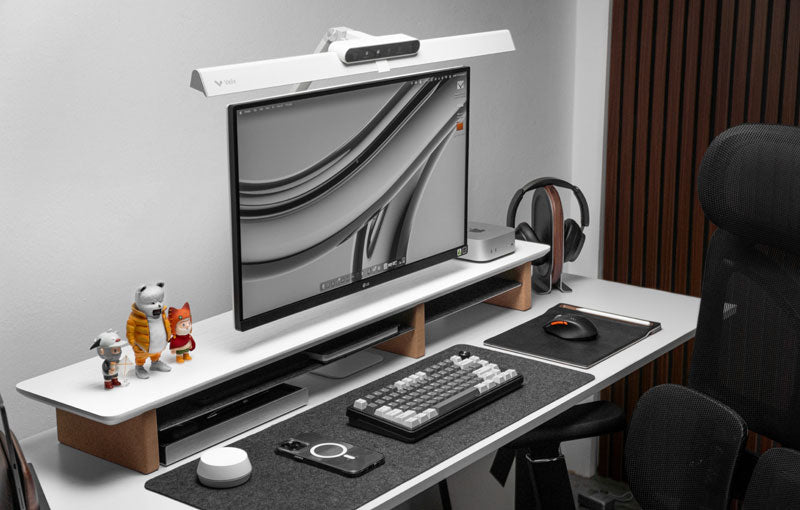
Spacet's Desk Shelf demonstrates the second approach by combining an elevated working surface with a broader organization structure.
How is a monitor stand different from a monitor arm?
A monitor arm typically attaches directly to the display and provides more control over height, depth or orientation. Compatibility may depend on factors such as monitor weight, mounting specifications and the way the arm attaches to the desk.
A fixed stand is simpler when independent adjustment is unnecessary because the original monitor base can remain in use.
Is a laptop stand a monitor stand?
No. A laptop stand is designed around the dimensions and use of a laptop, while a monitor stand supports the original base of a desktop display.
For example, Spacet's Laptop Riser v2.0 belongs to a different product category even though both products elevate computer equipment.
What Types of Monitor Stands Are Available?
Monitor stands range from compact fixed risers to wider desk shelf systems. The right format depends on whether the workstation needs straightforward screen elevation, additional organization or a structure that can accommodate changing equipment over time.
What is a compact fixed monitor stand?
A compact riser provides a dedicated elevated surface without extending across most of the desk. This format suits simpler workstations where one display is the main piece of equipment.
Spacet's Monitor Stand v2.0 follows this approach, combining fixed elevation with usable clearance beneath the platform.
What is a desk shelf monitor setup?
A desk shelf expands the concept beyond the monitor itself. The wider platform can establish an organized zone for the display while making better use of the area beneath and around the elevated surface.
Users comparing different Monitor Stands can browse Spacet's monitor stand collection before deciding whether a compact format or a broader desk system better matches their setup.
What is a modular desk shelf?
A modular desk shelf provides a foundation that can adapt as workstation requirements change. Instead of committing to every organizational component immediately, users can build around the main shelf and add compatible elements where useful.
The AIRY Modular Desk Shelf is Spacet's option for this type of evolving workstation.
How Do You Know Whether You Need a Monitor Stand?
A monitor stand is worth considering when the current screen position is lower than preferred, the monitor base dominates useful desktop space or the workstation would benefit from clearer equipment zones. A stand may be unnecessary when the existing display position and desk organization already work comfortably.
When is a simple monitor riser enough?
A compact riser is often sufficient for one monitor, relatively few accessories and a desk that is already organized. Fixed elevation also needs to be acceptable because a standard riser does not provide the adjustment range of an arm.
Users still deciding are monitor stands worth it can explore Spacet's guide to the practical value of monitor stands before moving from an informational search to a purchase decision.
When is a wider desk shelf more useful?
A wider shelf becomes more relevant when the workstation includes a monitor, laptop, keyboard and several frequently used accessories. The additional surface helps establish separate equipment zones rather than concentrating every item on one level.
Spacet's desk shelf systems provide different approaches to this broader organization requirement.
What Should You Check Before Buying a Monitor Stand?
Check the monitor's total weight, original base dimensions, available desk surface and required elevation before comparing appearance or accessories. Compatibility should be established using the actual monitor and workstation because screen diagonal alone does not reveal how much supporting surface a display needs.

Does monitor size determine compatibility?
Not by itself. Two monitors with the same diagonal measurement can have different weights and dramatically different base designs.
This distinction becomes especially important when selecting a monitor stand for ultrawide displays because wide V-shaped feet or deep bases can require substantially more supporting surface than expected.
What measurements should you check?
Record these details before purchasing:
- Monitor weight with its original base
- Base width and depth
- Stand surface dimensions
- Stated load capacity
- Desk width and depth
- Desired screen elevation
These measurements provide a more reliable compatibility check than choosing according to screen size alone.
Which Spacet Product Fits Different Monitor Stand Needs?
Spacet provides several solutions because compact elevation and full workstation organization are different requirements. Monitor Stand v2.0 suits a focused single-monitor setup, Workspace adds broader organization, and AIRY provides a modular foundation for workstations expected to evolve.
A simple way to narrow the choice is to start with the missing function: choose compact elevation when the desk already works well, a wider shelf when several items need defined positions, or a modular system when future expansion matters. The broader Spacet product collection can then be used to explore compatible workstation accessories without treating every product as a monitor stand.
Build a More Intentional Desk With Spacet
A monitor stand can become the foundation for a clearer workstation rather than simply another object placed beneath a screen. The most useful setup gives the display, keyboard, laptop and everyday accessories purposeful positions based on how frequently each item is used.
Spacet approaches monitor elevation as part of a wider desk organization system. From compact risers to Workspace and AIRY desk shelves, the range allows the workstation structure to follow the way you work instead of forcing every desk into the same configuration.
Contact Spacet
- Website: spacetup.com
- Email: support-en@spacetup.com
- Location: Toronto, Canada


Share: