


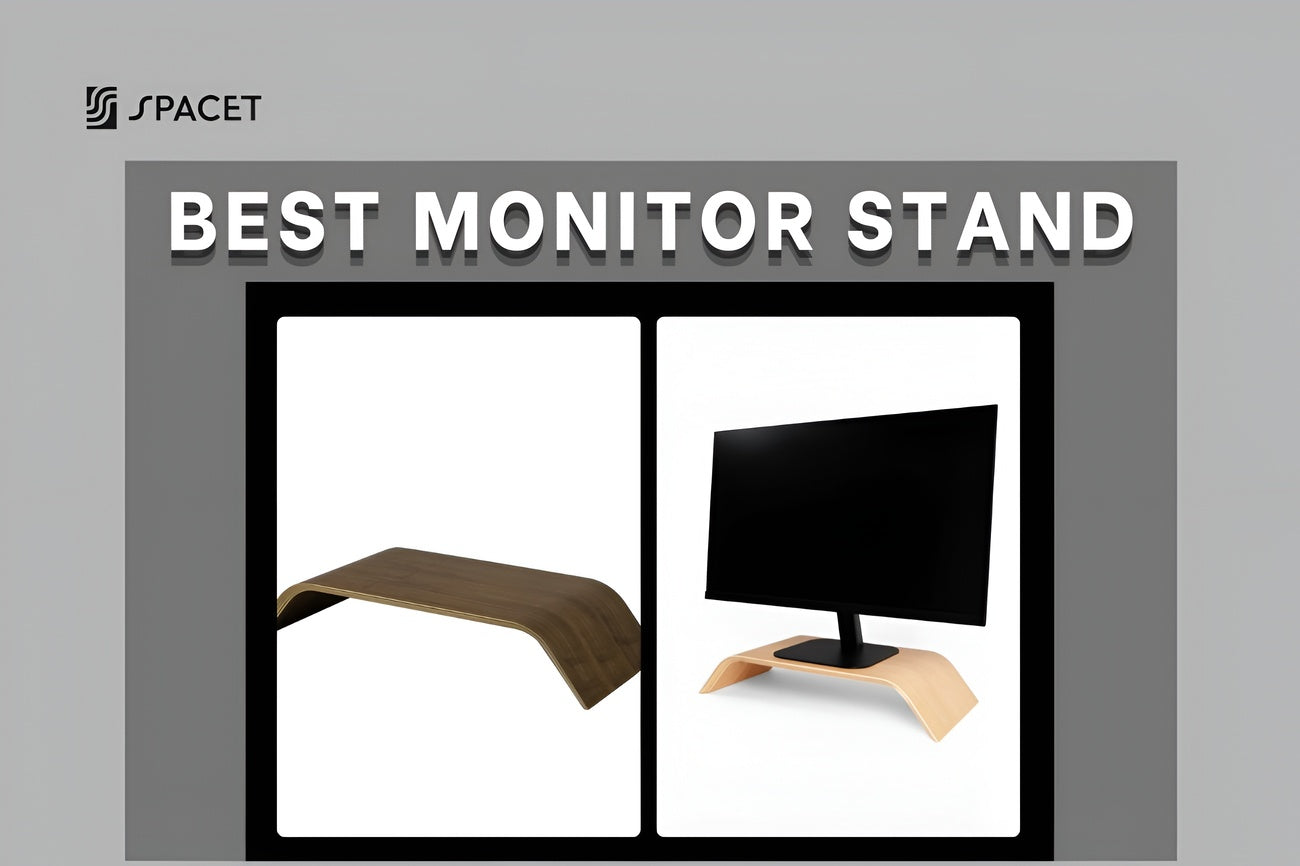
A monitor stand is its own product, with its own value, and it's not the same thing as a monitor arm. If you're after a monitor stand that actually looks good, feels solid, and doesn't need any drilling or desk clamps, you're in the right place. In this guide, we'll walk you through what separates a good monitor stand, compare the top options on the market, and give you an honest look at Spacet Monitor Stand v2.0, so you can make the right call for your setup.
What is a monitor stand and how is it different from a monitor arm?
Before jumping into the list, let's clear up something important: a monitor stand and a monitor arm are two completely different products, with different uses, price points, and ideal buyers.
A monitor stand (sometimes called a monitor riser) is a base that sits on your desk and lifts your screen to a fixed height. The design is usually simple and sturdy, there's no complicated assembly, and your monitor doesn't need a VESA mount to use one. Most stands also leave open space underneath for a keyboard, mouse, or other accessories.

A monitor arm, on the other hand, is a mechanical arm that clamps onto the edge of your desk or mounts through a grommet hole, letting you adjust height, tilt, and depth on the fly. Arms make the most sense if you switch between sitting and standing often, or if you're constantly repositioning your screen throughout the day.
Both options raise your screen closer to eye level, which helps your posture and takes pressure off your neck and shoulders. But the way people actually use them is pretty different, and that's exactly why this guide focuses on monitor stands. It's a product a lot of people are searching for, but good, honest reviews of it are surprisingly hard to find.
Monitor stand or monitor arm: Which one fits your desk?
The right answer depends on how you actually work, not on what looks cool in a Pinterest setup photo. Here's a quick comparison to help you decide faster.
| Criteria | Monitor Stand | Monitor Arm |
| Height adjustment | Fixed | Flexible, stepless |
| Requires VESA mount | No | Yes |
| Setup | Place it and go | Needs clamping or drilling |
| Works with glass/thin desks | Yes | Usually not |
| Storage underneath | Room for keyboard, accessories | None |
| Look and feel | Feels like furniture | Feels more technical |
| Price range | Budget to premium | Budget to very expensive |
A monitor stand makes sense if your desk is too thin to clamp an arm onto, your monitor doesn't have a VESA mount, you'd rather skip drilling or clamping anything, or you simply like the idea of something that looks like furniture instead of computer hardware.
A monitor arm makes sense if you switch between sitting and standing throughout the day and need to reposition your screen often, or your desk space is genuinely tight and every inch counts.
Here's the honest take: for most people working from home with a fixed monitor setup, a monitor stand is the more practical, better-looking, and easier choice than what most review sites lead you to believe.
Five things that actually matter when choosing a monitor stand
Before we get to the list, here's what's worth checking so you don't end up with a stand that's the wrong size or just doesn't fit your setup.
1. Width and footprint
This is the most important factor, and the one people skip the most. Measure the base of your monitor first, then compare it to the stand's surface width. Most standard monitor stands run between 50 and 120 cm wide, which covers screens from 24 to 34 inches. If you're shopping for a dual monitor computer stand or running an ultrawide, look for something at least 80 cm wide so everything sits balanced and stable.
2. Weight capacity
Every monitor stand has a weight limit, and it's worth checking closely, especially if you have a larger screen or like to stack speakers or accessories on top. A 27-inch monitor usually weighs around 4 to 7 kg, while a 32-inch screen can climb to 8 or 10 kg. A solid stand should handle at least 10 kg as a baseline, and if your setup is heavier or you tend to pile things on top, go for a stand with real headroom above that number.
3. Material and durability
You'll find monitor stands made from ABS plastic, veneer-covered MDF, metal, solid wood, and multi-ply hardwood plywood. Of these, solid wood or multi-ply hardwood plywood holds up the best and looks the part too. Plastic and MDF cost less upfront, but they tend to warp over time, especially under constant weight.
4. Space underneath
One of the biggest perks of a monitor stand over a monitor arm is the open space underneath. That gap is usually enough for a keyboard you're not using, a notebook, loose cables, or small accessories. The sweet spot for clearance is around 8 to 10 cm, which fits a slim keyboard nicely and keeps your desk looking clear.
5. Design and fit
A monitor stand isn't just a tool, it's also part of how your whole desk looks. A stand in walnut or maple instantly elevates the entire setup, even at a quick glance. A cheap black plastic riser, on the other hand, can undo a desk you've otherwise put real thought into.

Top 5 monitor stands worth your money
Here are the five names worth knowing about, ranging from solid budget picks to true premium builds.
- Spacet Monitor Stand v2.0: best overall, ideal for minimalist and premium setups.
- Satechi Aluminum Monitor Stand Hub: a sleek aluminum Mac-matching riser with a built-in USB-C hub.
- Twelve South Curve Riser: best for Mac users who want a clean metal stand with built-in storage.
- HumanCentric Desk Shelf Monitor Riser: the best mid-range option in premium wood.
- Simple Houseware Metal Monitor Stand: best budget pick, under $40.
1. Spacet Monitor Stand v2.0: Best overall for minimalist setups
Price: $109.90 USD
Material: 15-ply premium walnut hardwood plywood, natural cork base
Weight capacity: 20 kg / 44 lbs
Dimensions: 51 x 23.5 x 9 cm (20.1 x 9.25 x 3.5 inches)
Monitor compatibility: Most monitors and iMacs up to 32 inches
Colors: Oak, Maple
Spacet Monitor Stand v2.0 stands out as the strongest pick in the premium tier, combining genuine material quality, a minimal design with real depth to it, and a price that's far easier to justify than most of its competitors.
It's built from 15-ply walnut hardwood plywood with a natural cork base, and every stand carries its own unique wood grain, so no two look exactly alike. The soft curved form, a signature of Spacet Studio's design language, gives it the feel of a piece of furniture rather than just another computer accessory.
The open space underneath fits a slim keyboard, a notebook, or all the loose cables you'd rather not see. The Spacet Monitor Stand v2.0 is part of the Premium Collection 2.0, pairing naturally with the Headphone Stand v2.0 and Desk Tray Drawer v2.0 for a desk that actually feels cohesive.
Best for: anyone who wants a real wood monitor stand, a minimalist look, and zero drilling or clamping.

2. Satechi Aluminum Monitor Stand Hub
Price: $90 USD
Material: Premium Aluminum and Eco-Leather
Dimensions: 8.4 x 8.4 x 1.6 inches
Best for: Apple users and minimalists who want built-in ports and a clean, metallic tech aesthetic.
If you’re running a setup built around a Mac Mini, Studio, or iMac, Satechi is probably already on your radar. While most options on this list lean into the warm, earthy look of natural hardwood, Satechi goes full-on modern tech. Made from sleek, premium aluminum that perfectly matches Apple’s space gray or silver finish, it looks less like a piece of furniture and more like an extension of your computer.

But the real magic here isn’t just the lift, it’s the functionality. This stand pulls double duty as a USB-C hub, bringing your crucial ports (USB-A, USB-C, micro/SD card slots, and an audio jack) right to the front of your desk. No more awkward fumbling behind your monitor just to plug in a flash drive.
3. Twelve South Curve Riser
Price: $80 USD
Material: Premium metal (matte black or white)
Dimensions: 12.5 x 9.6 x 4.25 inches
Standout feature: Built-in ventilated shelf for hubs, drives, or a Mac mini
The all-metal build is solid and sturdy, with a clean minimalist silhouette that pairs naturally with an iMac or Apple Studio Display. The ventilated shelf underneath is genuinely useful: you can store a Mac mini, an external drive, or a USB hub out of sight while keeping airflow intact.

The one thing worth knowing upfront: at 4.25 inches tall, the Curve Riser sits on the higher end of the fixed-height range. It works well for taller users or anyone with a lower desk, but may push the screen a bit high for some setups. It's also not made from wood, so if natural materials are important to your setup's look, this one won't be the right fit.
Best for: Mac users who want a premium metal stand with built-in storage, especially those pairing it with an iMac or Apple Display.
4. HumanCentric Desk Shelf Monitor Riser
Price: $220 USD
Material: Natural plywood with black walnut veneer and an anodized aluminum frame
Dimensions: 46 x 10.25 inches
HumanCentric is a solid pick in the premium wood category. It lifts your monitor around 10 cm and includes a felt-lined storage shelf underneath. The thing worth noting is that it uses veneer over plywood, not solid natural wood like Spacet.
Best for: anyone who wants a wood-look stand without a premium-tier budget.

5. Simple Houseware Metal Monitor Stand
Price: $25 to $40 USD
Material: Powder-coated steel
Feature: Small drawer underneath
For anyone working with under $40, Simple Houseware is one of the most popular picks on Amazon thanks to its low price, easy setup, and the handy little drawer built in. It does exactly what it promises at this price, just don't expect it to last for years or turn heads aesthetically.
Best for: students, temporary setups, and anyone on a tight budget.

Quick comparison: Top 5 monitor stands side by side
| Product | Price (USD) | Material | Dimensions | Best for |
| Spacet Monitor Stand v2.0 | $109.90 | 15-ply walnut hardwood plywood | 51 x 23.5 x 9 cm | Minimalist, premium, no drilling needed |
| Satechi Aluminum Monitor Stand | $90 USD | Aluminum & Eco-Leather | 8.4 x 8.4 x 1.6 | Apple users & minimalists |
| Twelve South Curve Riser | $80 | Premium Metal | 31.8 x 24.4 x 10.8 cm | Mac users needing clean device storage |
| HumanCentric Monitor Riser | $220 | Plywood with walnut veneer and aluminum | 46 x 10.25 in | Mid-range budget |
| Simple Houseware Metal Stand | $25-40 | Steel | Multiple sizes | Tightest budgets |
Spacet Monitor Stand v2.0: the full breakdown
Out of every monitor stand on this list, Spacet's Monitor Stand v2.0 delivers the most real value in the premium tier, starting at just $109.90 USD. Here's exactly why!
Design and material: Not just any wood
The Monitor Stand v2.0 is built from 15-ply walnut hardwood plywood, and this isn't veneer slapped over cheap MDF. Every layer is real wood, which makes for a structure that's genuinely sturdy and won't warp even under steady, heavy use. The soft curved edges on both ends are a Spacet Studio signature.
The end result feels more like a small sculptural piece than a computer accessory. It currently comes in two wood finishes: Oak, which leans warm and natural, and Maple, which feels lighter and more understated, so there's a tone for most desk styles.
Size and weight capacity in real use
At 51 x 23.5 x 9 cm, this stand comfortably fits most monitors from 24 to 32 inches, iMacs included. The 9 cm height isn't dramatic, but it's enough to bring your screen closer to eye level, which takes real pressure off your neck and shoulders during long work sessions.
Remember the baseline from earlier: a good stand should handle at least 10 kg. The Monitor Stand v2.0 goes well beyond that with a 20 kg (44 lb) capacity, which is plenty for a large monitor plus small speakers or extra accessories on top, without any worry about stability.
Space underneath: a clearer desk, a clearer head
The open space below the stand easily fits a slim keyboard, a compact mechanical keyboard, a notebook, or all the cables you'd rather tuck out of sight. It's one of the clearest advantages over a monitor arm, which offers no storage at all. If your desk tends to get cluttered fast, this alone is a pretty practical reason to go with a stand instead.
How it fits into the wider Spacet lineup
What really sets the Monitor Stand v2.0 apart isn't just the product itself, it's how naturally it fits into Spacet's full Premium Collection 2.0. Pair it with the Headphone Stand v2.0, Desk Tray Drawer v2.0, MagSafe Stand v2.0, or Laptop Dock v2.0, and you end up with a desk that feels fully matched in material and style. You don't have to buy everything at once, but every piece you add brings the whole setup one notch closer to feeling finished.

What to pair with your monitor stand for a complete setup
A good monitor stand is just the starting point. If you're building out a workspace that actually feels complete, here's what to look at next.
Desk shelf: the backbone of a tidy setup
If you want to level up your whole workspace, not just your screen, Spacet's Desk Shelf System is the next thing worth considering. Spacet is currently putting its weight behind two standout options in this line.
Desk Shelf Pro v2.0 is the all-in-one version with a built-in lower shelf, available in two sizes (80 cm and 117 cm), with a 100 kg weight capacity and several color options. If you want something you can set up and use right away with zero configuration, this is the safest and most complete pick.

AIRY Modular Desk Shelf is the more flexible option, built around a mounting grid that lets you attach add-ons like a headphone holder, phone holder, or power strip holder. If you like to customize and keep tweaking your setup over time, AIRY is the better fit.

Mouse pad
Round out the setup with a mouse pad that matches the rest of your materials. Spacet's Mouse Pad v2.0 combines leather and walnut, adding one more layer of texture across the desk.

FAQs about monitor stands
Does a monitor stand need a VESA mount?
No. This is one of the biggest advantages a monitor stand has over a monitor arm. You simply place your monitor on top as it already sits, no removing the monitor's base, no checking VESA hole patterns. Just make sure the base of your monitor fits within the stand's surface width.
What's the ideal height for a monitor stand?
Based on standard ergonomic guidance, the top of your screen should sit at or just slightly below eye level when you're sitting upright. For most standard desks around 75 cm tall paired with an adjustable chair, a stand between 8 and 10 cm tall hits that sweet spot.
Are wooden monitor stands actually durable?
Very durable, as long as you pick the right kind. Multi-ply hardwood plywood, like the 15-ply construction used in Spacet's stand, holds up far better than plastic or MDF. It won't warp over time, and it doesn't scratch as easily as cheap veneer surfaces. With normal care, a good wood stand can easily last 5 to 10 years.
Can a monitor stand work as a dual monitor computer stand?
Yes, but you'll want one wide enough for the job. To support two monitors side by side, look for a stand at least 100 cm wide with enough weight capacity for both screens combined. If you'd rather keep things separate, two stands placed symmetrically is also a common setup, and it's easier to adjust each screen independently.
Where's the best place to buy a quality monitor stand?
If you're hunting for a best buy monitor stand made from real wood and built to last, buy directly from Spacet.
Should I get the Monitor Stand v2.0 or the AIRY Modular Desk Shelf from Spacet?
These solve two different problems. The Monitor Stand v2.0 is a compact base that sits right under your screen and takes up minimal space. The AIRY Modular Desk Shelf is a wider shelf system that runs across your desk, holding your monitor while also organizing your whole workspace.
If you're after a full setup upgrade, AIRY Modular is the better call. If you just need something simple, good-looking, and sturdy under your screen, the Monitor Stand v2.0 does the job.
Final thoughts
A monitor stand is a genuinely valuable product, and it deserves to be bought with the same care as anything else on your desk. Whether you're working from home, a student, or just trying to clean up your setup without drilling holes or clamping hardware onto your desk, this is the most practical way to improve your posture and clear off your workspace.
Among everything out there, Spacet Monitor Stand v2.0 stands out for pairing premium material (15-ply walnut hardwood plywood) with Spacet Studio's clean design. It's maybe not the cheapest option on this list, but it's easily the one that delivers long-term value and the great look for the price.
If you want to keep building out your workspace, from choosing the right desk shelf to managing cables to finding accessories that actually match how you work, head over to the Spacet Blog for more. And whenever you're ready to upgrade, Spacet is right there to help you get started.

Compartir: