


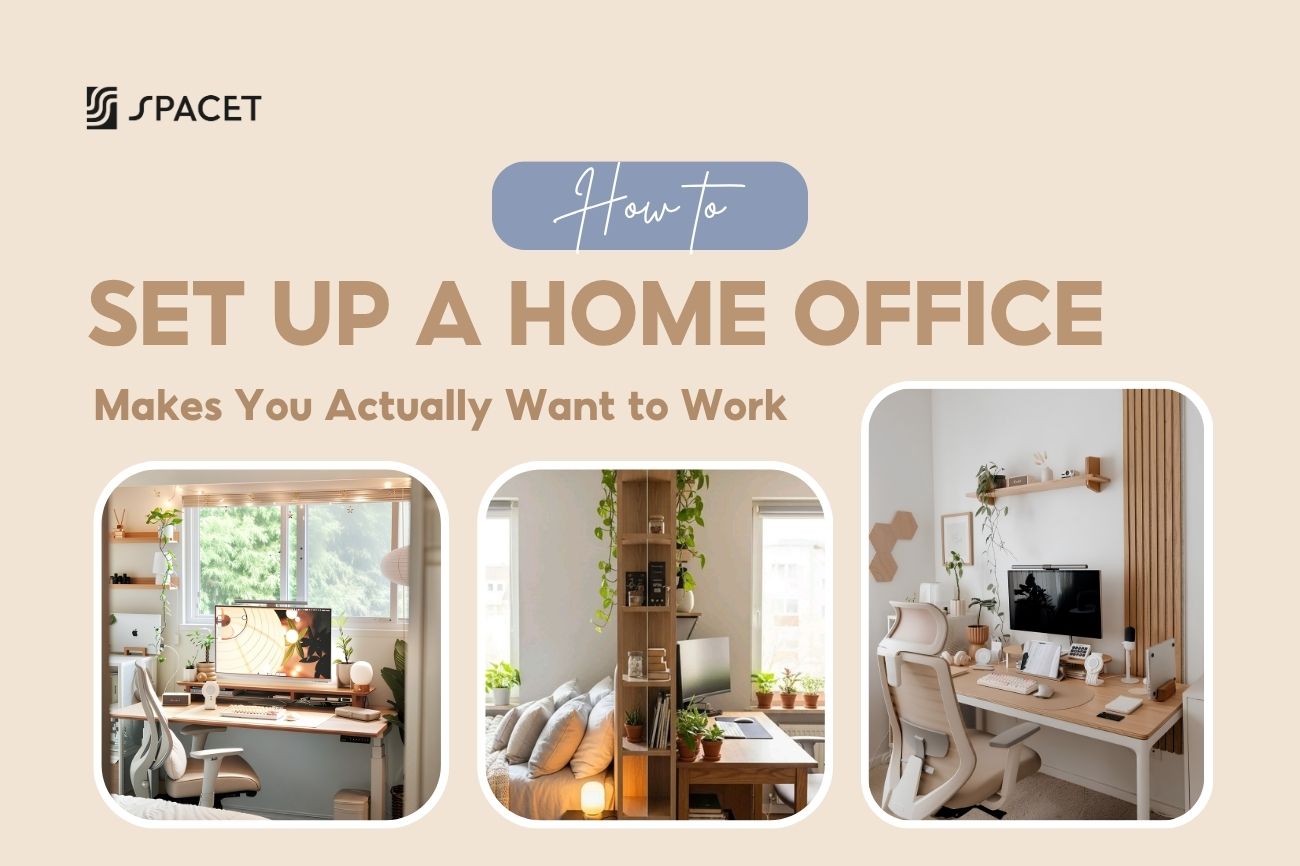
Most people's work from home is just a laptop on whatever surface is available. It gets the job done, but not well. A properly set up home office changes how you work, how your body feels, and whether you actually want to sit down each morning. Here's how to set up a work from home office that does all three - with Spacet alongside to help you get there.
Step 1: Pick the Right Spot
Natural light is your number one priority when deciding where to put your desk. Position near a window, but don't let your screen face directly into the light or glare will be a constant problem. Beyond light, pick the spot in your home where you're least likely to be interrupted.

Transform your productivity by creating a clear visual boundary for a focused workspace. (Source: Pinterest)
Setting up a home office in your bedroom? Create a clear visual boundary between your work zone and sleep zone - face away from the bed, or use a bookshelf as a divider. When the workday ends, clear your desk and shut the monitor off. Your brain needs those cues to actually wind down.

Working with a small space? Go vertical instead of horizontal. Here's how to set up a home office in a small space without it feeling cramped:
- Go with a slim desk that doesn't eat up floor space with bulky legs.
- Use a desk shelf to add a second layer of storage above the surface instead of spreading sideways.
- Give every item a fixed home so the desk stays clear by default.

Step 2: Get a Decent Chair Before Anything Else
Your chair is the single most important thing to spend money on. You're sitting in it 6-8 hours a day - it affects your back, shoulders, neck, and honestly your mood too. A good ergonomic chair needs adjustable height, lumbar support, and movable armrests.

When you're sitting right, your feet are flat on the floor, elbows at roughly 90 degrees when typing, and your back lightly supported - not hunched forward.
Step 3: Get Your Monitor at Eye Level
The top of your screen should sit at or just slightly below eye level, about 20-28 inches from your face. Most laptop users get this wrong - a flat laptop screen is almost always too low, which means hours of craning your neck downward. That's the number one cause of neck and shoulder pain in remote workers.

Let’s use a desk shelf or laptop riser to lift the screen up, then pair it with an external keyboard and mouse. If you want to set up a home office with two monitors, put your primary screen straight ahead and angle the second about 30 degrees to the side. Both should sit at the same height - a desk shelf 80cm or wider handles this without needing separate risers.
Step 4: Choose the Right Desk Shelf for Your Setup
If you can only add one thing to your setup, make it a desk shelf. It fixes your monitor height, creates storage underneath for your keyboard and gear, and makes the whole desk look intentional - without buying a new desk. Whether you're figuring out how to set up a desk at home for the first time or upgrading an existing workstation, a desk shelf is the highest-impact single addition you can make.
Spacet Desk Shelf Pro v2.0 is for people who want a complete setup from day one. Made from 15-layer black walnut plywood and industrial aluminum, it features a built-in lower shelf for your keyboard and peripherals, plus a rear cable channel that keeps cords hidden. The Large size at 117cm fits two 27-inch monitors side by side, rated up to 100kg.

If you'd rather build your setup gradually, the AIRY Modular Desk Shelf is the smarter pick. AIRY uses a mounting grid system that lets you clip on add-on modules anywhere - Phone Holder, Headphone Holder, Laptop Dock, Power Strip Holder - no tools needed. Start lean, add what you actually need as your setup evolves.

>> Explore our Desk Shelf System right now!
Step 5: Tame Your Cables and Clear Your Desk
Messy cables are the fastest way to ruin an otherwise great workspace. Group cables by device with velcro ties, route them through a cable tray under the desk, and use the built-in cable channel on your desk shelf. AIRY Modular users can clip a Power Strip Holder directly onto the shelf to keep things tidy from the start.

On the surface itself, only keep what you use every day. Spacet Desk Tray Drawer and The Storage Drawer give everything a proper home within arm's reach - without cluttering the space you're actually working on.
Step 6: How to Create an Ergonomic Home Office That Lasts
When people talk about how to create an ergonomic home office, they usually stop at "get a good chair." But ergonomics is the whole system working together. If you're on video calls regularly, these extras make a real difference:
- A decent webcam, or use your phone with apps like Camo or Continuity Camera.
- Noise-cancelling headphones so you can focus and be heard clearly on calls.
- A wired ethernet connection if your WiFi drops during video meetings.
- A desk lamp with adjustable color temperature - cool white during the day, warm light in the evening.
- A headphone stand to keep headphones protected and off the surface - Spacet Headphone Stand v2.0 fits any clean desk setup naturally.

Getting this right is what separates a setup that's functional for a few months from one that's genuinely how to set up a home office for remote work sustainably long-term.
Step 7: How to Set Up a Home Office on a Budget
You don't need to spend a lot upfront - you just need to spend on the right things first. Chair and monitor position have the biggest impact on how you feel, so those come first. Everything else gets added gradually as your needs become clearer.
A Spacet Japanese Desk Pad Cotton & Linen is one of the best low-cost starting points - it instantly makes your desk feel more intentional without changing any furniture. From there, layer in a desk shelf, laptop stand, or storage as your setup grows.

Japanese Desk Pad Cotton & Linen
This is the most practical way to think about how to set up a workstation at home without blowing your budget, building toward the perfect home office one intentional upgrade at a time.
FAQs About Setting Up a Home Office
Where should I start when setting up a home office?
Start with your chair and monitor position. These two have the biggest impact on your health and how sustainable your setup is long-term. Get those right first, then layer in accessories from there.
Is a desk shelf actually necessary, or just a nice-to-have?
It's functional, not just aesthetic. Raising your monitor to eye level takes real pressure off your neck and shoulders - something you'll feel within days. It's consistently one of the highest-value upgrades you can make.
How do I set up a home office in my bedroom without messing up my sleep?
Keep a clear visual separation between your work zone and sleeping area, and build a consistent end-of-day habit: clear the desk, turn off the screens, step away. Your brain needs those cues to actually switch off.
What's the difference between Spacet's Desk Shelf Pro v2.0 and the AIRY Modular?
The Pro v2.0 comes complete from day one - lower shelf built in, nothing to add. The AIRY Modular starts lean and expands via a mounting grid as your setup grows. Both hold 100kg and support dual monitors. It comes down to whether you want it all now or prefer to build over time.
Setting up a home office isn't a one-time project - it's something you keep refining as you figure out how you actually work best. Start with the essentials, don't skip on ergonomics, and add the rest as you go.
Spacet has desk shelves, laptop stands, desk pads, and storage all designed to work together - so nothing feels like a mismatch. And for more workspace ideas and honest gear breakdowns, the Spacet Blog has you covered.

Share:
11+ Corner Desk Shelf Ideas To Unlock Unused Space & Maximize Every Inch
What Is A Riser Desk? The Honest Guide Before You Buy