


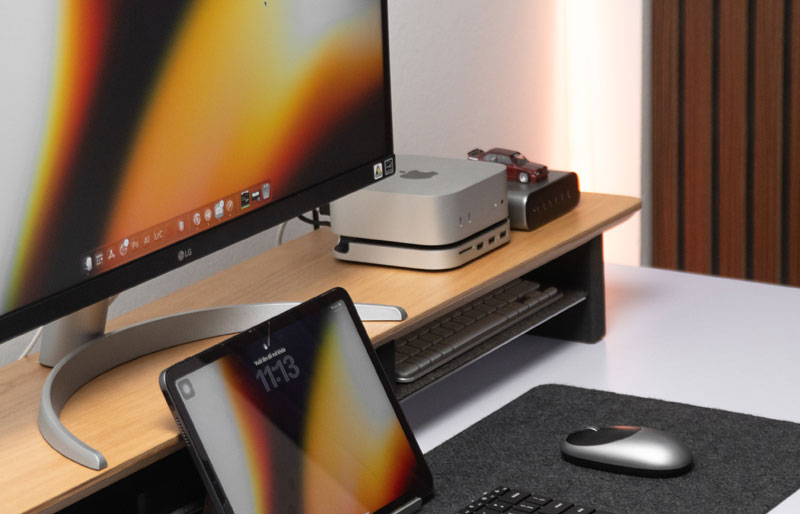
Choosing the best monitor stand for ultrawide setups is about creating a workstation where a large display works naturally with the rest of your equipment. Spacet offers solutions ranging from compact risers to wider desk shelf systems, giving you different ways to elevate an ultrawide screen while keeping keyboards, laptops and everyday accessories easier to organize.
What Makes a Monitor Stand Suitable for an Ultrawide Monitor?
A suitable ultrawide monitor stand needs enough usable surface for the monitor base, sufficient load capacity and dimensions that work with the desk. Because ultrawide displays vary considerably in weight and stand design, checking the specifications of the exact monitor is more reliable than choosing a riser based only on screen diagonal.
Why does the monitor base matter more than screen width alone?
An ultrawide screen may extend well beyond its original stand, but the physical base is what actually sits on the riser. Some monitors use compact central bases, while others have wide V-shaped feet that require considerably more depth and width.

Measure the widest and deepest points of the original base, then compare those measurements with the usable top surface of the riser.
How much weight should an ultrawide stand support?
Check the monitor’s total weight with its original base attached and compare that figure with the stand manufacturer’s stated load capacity. Avoid assuming that every 34-inch or 38-inch display weighs roughly the same.
A heavier screen also makes construction and stability increasingly important. Product specifications should therefore be checked before purchasing rather than inferred from appearance.
Why does desk depth matter with an ultrawide display?
Desk depth determines how much room remains between the screen, keyboard and user after a riser is installed. A deep monitor base placed on a shelf can move the screen forward if the overall setup has not been measured carefully.
This becomes particularly important on compact home-office desks where every centimetre of usable work surface matters.
Which Type of Stand Works Best for an Ultrawide Monitor?
Fixed risers, wider desk shelves and monitor arms solve different problems. A compact riser provides straightforward elevation, a desk shelf combines elevation with broader workstation organization, and a compatible monitor arm provides more independent control over screen position. The right format depends on both the display and the desired workflow.
When is a compact monitor riser enough?
A compact riser works when the monitor base fits securely on the top surface and the primary goal is fixed elevation. This approach avoids introducing a full-width shelf when the rest of the workstation already functions well.
Spacet’s Monitor Stand v2.0 provides a focused option for this type of setup. Compatibility should still be confirmed against the specific ultrawide display.
When is a wider desk shelf more practical?
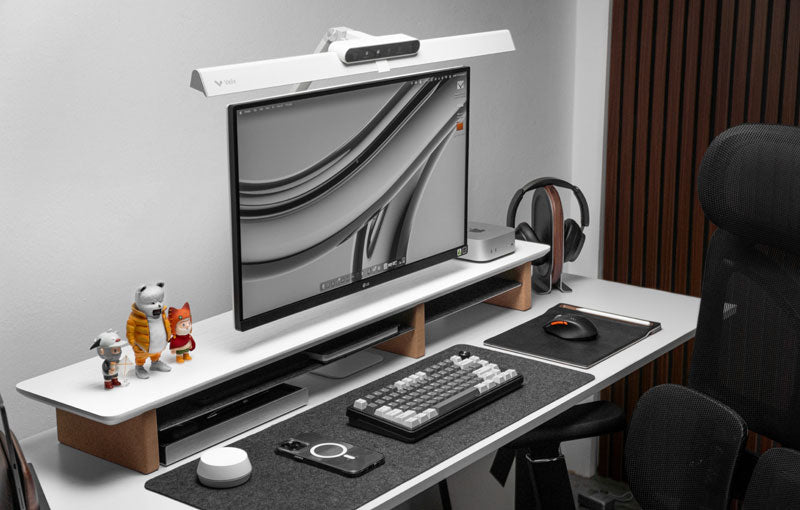
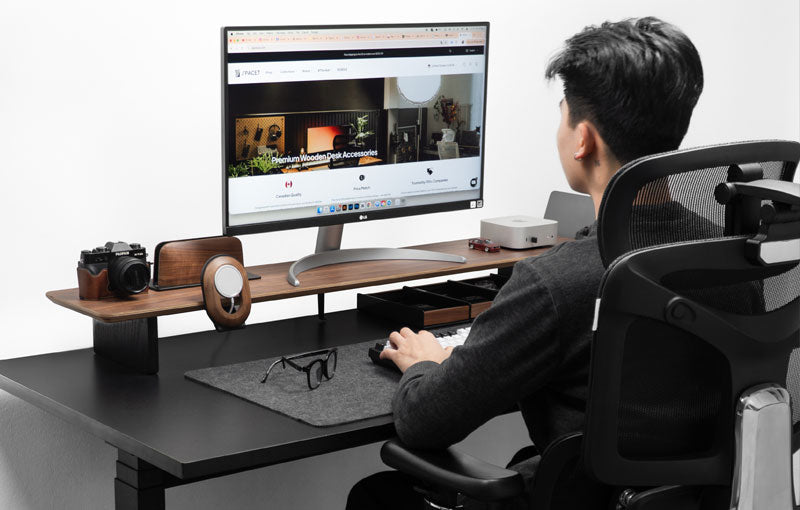
A wider desk shelf becomes useful when monitor elevation needs to work alongside equipment organization. The additional surface can visually anchor a large display while the space underneath accommodates compatible keyboards, notebooks or other desk essentials.
This broader organization approach can also be more useful than a monitor riser with storage when the objective is to structure the entire workstation rather than add a small compartment beneath the screen.
When should you consider a monitor arm instead?
A monitor arm deserves consideration when independent height, depth or positional adjustment is a priority. A fixed shelf does not provide the same range of screen movement.
Before choosing an arm, verify VESA compatibility, monitor weight, arm capacity and desk mounting requirements. A desk shelf and monitor arm should not be treated as interchangeable products simply because both can change screen position.
Which Spacet Stand Fits Different Ultrawide Setups?
Spacet provides different approaches to fixed monitor elevation. Monitor Stand v2.0 focuses on a compact footprint, Desk Shelf | Workspace adds straightforward organization, AIRY Modular Desk Shelf supports an evolving setup, and Desk Shelf Pro v2.0 takes a more integrated approach to workstation organization.

When should you consider Monitor Stand v2.0?
Monitor Stand v2.0 makes sense when the workstation does not require a full desk shelf. The compact format keeps the purchasing decision centered on monitor elevation while still creating usable clearance underneath.
Users comparing Spacet Monitor Stands can explore the broader monitor stand collection before deciding whether a compact riser or wider desk system better matches the available space.
When does Desk Shelf - Workspace make more sense?
Desk Shelf - Workspace is better suited to a workstation where the ultrawide display shares the desk with everyday equipment. Its wider structure combines an elevated surface with organization below.
The Workspace Collection is therefore relevant for users who want monitor elevation to become part of a broader desk organization system.
Why consider AIRY for an evolving ultrawide setup?
AIRY Modular Desk Shelf is designed around adaptability. The shelf can establish the main elevated surface first, while compatible modular accessories can be considered as the equipment mix changes.
Explore the AIRY Modular Collection when long-term flexibility matters more than having every storage feature integrated from the beginning.
How Should You Measure an Ultrawide Monitor Before Choosing a Stand?
Measure the monitor base width and depth, confirm the display’s total weight with its original stand, and compare those figures with the riser specifications. Then measure the desk itself. This process establishes whether the monitor physically fits without sacrificing the working area needed for normal keyboard and mouse use.
What measurements should you record?
Before comparing products, note:
- Monitor base width and depth
- Total monitor weight with the original base
- Desk width and depth
- Available space around the monitor
- Desired screen elevation
These measurements provide more useful compatibility information than screen diagonal alone.
How much room should remain for the keyboard and mouse?
There is no universal clearance that works for every workstation. Keyboard dimensions, mouse movement and desk depth differ between users.
Positioning the proposed shelf footprint on the desk before purchasing can reveal whether the elevated monitor would leave enough active working space.
Does Ultrawide Screen Size Determine Which Stand You Need?
No. Screen size helps describe the display, but monitor weight, base dimensions and desk geometry determine whether a particular stand is appropriate. Two displays with the same diagonal measurement can use very different bases, making model-specific measurements essential before selecting a fixed riser or shelf.
What should you check for a 34-inch ultrawide?
Start with the original base. Confirm its width, depth and complete monitor weight before comparing those figures with the stand specifications.
Do not assume that a product described as suitable for one 34-inch display automatically works with every monitor in that size category.
What changes with larger ultrawide monitors?
As displays become larger, base footprint and equipment weight may also increase. Wider screens can additionally change how much of the desk remains available for speakers, laptops and other peripherals.
Large-display users should therefore verify actual specifications rather than simply choosing the widest available shelf.
How Does Desk Layout Affect an Ultrawide Monitor Stand?
Desk geometry can be as important as monitor dimensions. A conventional rectangular desk provides different placement options from a corner workstation or a desk positioned tightly against a wall, particularly when large displays, deep bases or additional peripherals compete for limited surface area.

What should you consider on a corner workstation?
A dual monitor stand for corner desk solves a different display problem from a single ultrawide riser, but the same measurement principle applies: available width and depth must be evaluated before equipment is added.
For an ultrawide setup, check whether the screen and base can be centered comfortably without interfering with adjacent desk sections.
What changes when the desk sits against a wall?
Rear clearance becomes more important when a workstation is positioned close to a wall. The original monitor base, cable routing and shelf depth all influence where the display ultimately sits.
Requirements encountered with a dual monitor stand for desk against wall illustrate the same principle: workstation geometry should be evaluated alongside the display hardware rather than after purchase.
What Mistakes Should You Avoid When Choosing an Ultrawide Stand?
The biggest mistake is selecting a stand according to screen diagonal without checking weight and base footprint. Other common problems include ignoring desk depth, assuming the widest shelf is automatically best and expecting a fixed riser to provide the same positional flexibility as a monitor arm.
Should you always buy the widest desk shelf available?
No. Additional width is valuable only when the desk and equipment can use it effectively.
A smaller riser may be the better solution for a simple workstation, while a wider shelf makes sense when additional organization is genuinely useful.
Can a desk shelf replace an ultrawide monitor arm?
Not in every setup. A desk shelf provides fixed elevation and can improve organization around the display. A monitor arm is designed for independent monitor positioning and adjustment.
Choose according to the function required rather than treating both products as different versions of the same solution.
Build an Ultrawide Workspace That Works Better With Spacet
An ultrawide display often becomes the centerpiece of a workstation, so the supporting setup should make the surrounding desk easier to use. The right solution should provide a clear position for the screen while leaving everyday equipment organized and accessible.
Spacet offers different ways to achieve that balance. Choose a compact riser when simple screen elevation is enough, a Workspace shelf for straightforward organization, AIRY when modular expansion matters, or a Pro desk shelf for a more integrated setup. The goal is to create a workstation where the ultrawide monitor and the rest of your equipment work together as one practical system.
Contact Spacet
- Website: spacetup.com
- Email: support-en@spacetup.com
- Location: Toronto, Canada


Share: