


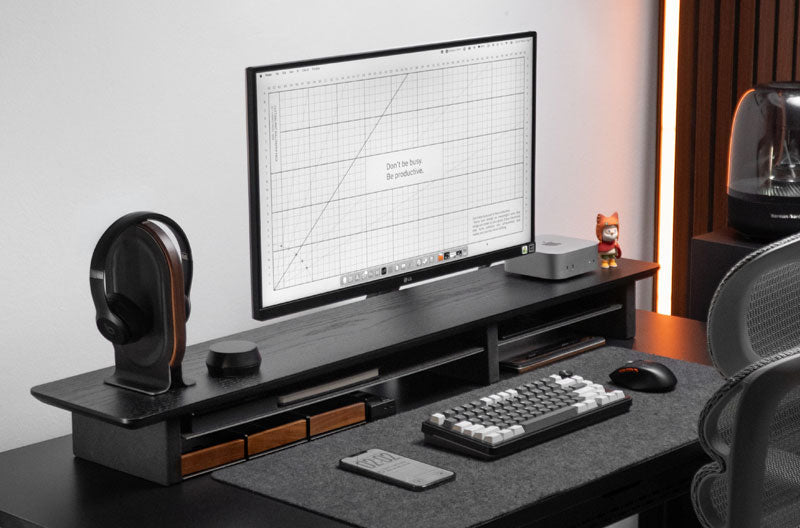
Learning how to decorate and organize desk shelves starts with creating a functional layout before adding decorative details. Spacet helps you build a more intentional workspace by organizing monitors, laptops, accessories, and storage into clear zones, leaving room for personal touches without making the desk feel crowded.
How Should You Organize Desk Shelves Before Decorating Them?
Organize essential equipment first and decorate the remaining space afterward. This prevents plants, books, collectibles, and other decorative pieces from competing with the equipment you use throughout the day.
Which items should stay within easy reach?
Keep frequently used items in the most accessible areas. A notebook, phone, headphones, or other daily equipment should have a predictable location rather than moving around the desktop.

The same principle applies when deciding what to call a shelf on a desk: terminology matters less than understanding the function. A desk shelf generally creates an elevated organizational surface, while a monitor stand has a more focused display-support role.
Which items should move into storage?
Spare cables, adapters, stationery, memory cards, and similar small objects rarely need permanent positions on the visible shelf surface. Dedicated storage keeps these items accessible without letting them dominate the setup.
The Spacet Desk Organizers collection provides a useful starting point for separating smaller essentials from the main working area.
How much empty space should a desk shelf have?
Avoid filling every available section simply because space exists. Intentional open areas make individual objects easier to access and prevent the workstation from feeling visually crowded.
Empty space also leaves room for temporary items that enter the workflow during the day.
How Can You Divide a Desk Shelf Into Functional Zones?
A practical desk shelf can be divided into four simple zones: display, access, storage, and accent. The exact arrangement depends on your equipment and workflow rather than a universal layout.
|
Zone |
Primary purpose |
Typical items |
|
Display |
Screen positioning |
Monitor |
|
Access |
Daily-use equipment |
Phone, notebook, headphones |
|
Storage |
Small accessories |
Cables, adapters, stationery |
|
Accent |
Personalization |
Plant, books, decorative object |
Where should the monitor zone go?
If the shelf is designed to support your monitor, treat the display as the visual anchor of the workstation. Leave sufficient usable surface for the monitor base and avoid placing decorations where they interfere with the screen or everyday access.
For a setup focused primarily on screen elevation, Spacet's Monitor Stands provide a more targeted alternative to a broader desk shelf system.
Where should everyday accessories go?
Arrange frequently used accessories according to workflow. Items used repeatedly should remain easier to reach, while occasional equipment can move into drawers or another storage zone.
This creates a simple hierarchy:
frequent use → easy access → occasional use → dedicated storage
Where should decorative objects go?
Add decoration around functional equipment rather than forcing equipment around the decoration. Plants, books, photographs, and design objects work best when they occupy areas that are not required for everyday tasks.
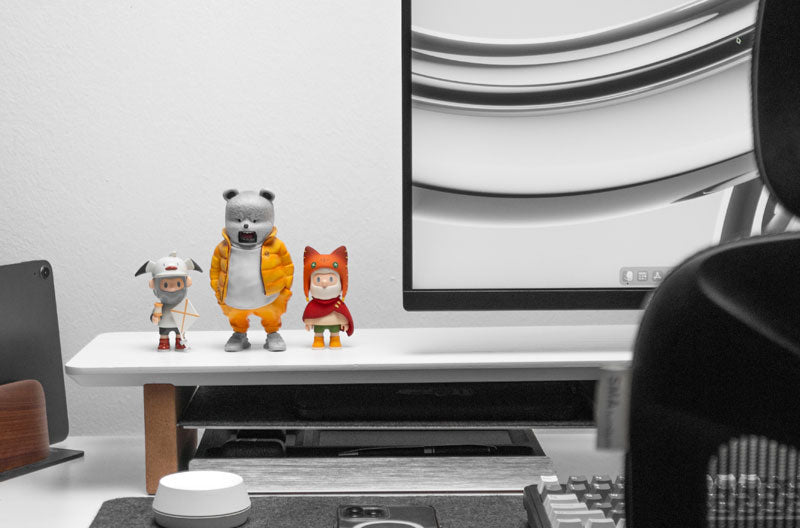
One or two deliberate accents can often create more visual identity than filling the entire shelf with small objects.
What Can You Use to Decorate Desk Shelves Without Creating Clutter?
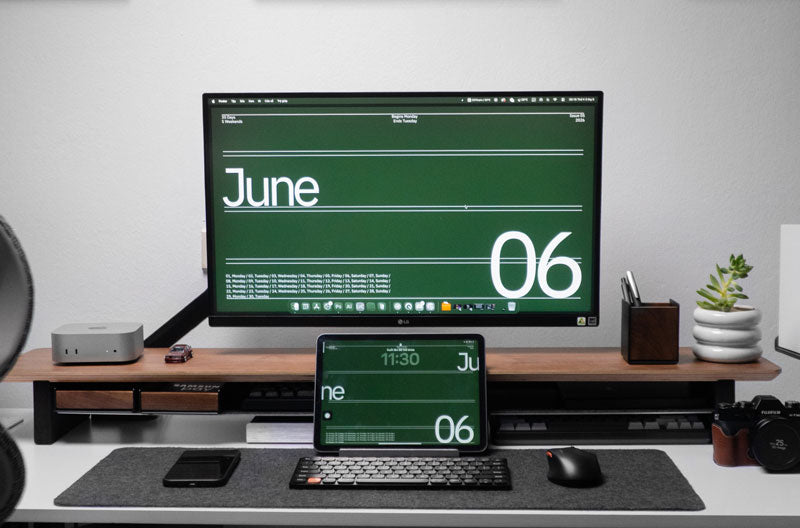
Choose decorative pieces with different shapes, heights, and functions rather than adding many objects of similar size. A small plant, a few books, and one personal object can provide visual variation without overwhelming the workstation.

Can plants work on a desk shelf?
Plants can add texture and contrast to a workspace, but placement matters. Consider available light, watering requirements, shelf dimensions, and proximity to electronics.
A plant should complement the workstation rather than obstruct the monitor, speakers, or frequently used accessories.
How can books add visual structure?
A small group of books can introduce height and structure. Books can be arranged vertically or in a short horizontal stack, depending on the available surface.
Keep the collection selective. A working desk shelf does not need to become a full bookshelf unless book storage is one of the workstation's primary functions.
How can color make a desk shelf feel coordinated?
Look for visual relationships between the desk, shelf, technology, and decorative objects. Materials and colors do not need to match exactly.
Repeating a limited number of tones or materials can make separate objects feel connected while preserving enough contrast to avoid a flat appearance.
How Should You Organize Technology Around a Desk Shelf?
Technology often creates more visual clutter than decoration. Give laptops, cables, phones, and other devices dedicated locations before adding more aesthetic accessories.
Where should a laptop go?
A closed laptop connected to an external monitor can consume valuable horizontal space when stored flat. A vertical dock creates a dedicated position while reducing the laptop's footprint.
Spacet's Laptop Dock v2.0 provides vertical storage for compatible laptops. Workstations using two compatible devices can instead consider the Dual Laptop Dock v2.0.
How can you control visible cables?
Route related cables together and keep unnecessary cable length away from the visible shelf surface. Power, display, and charging cables should also remain clear of frequently accessed areas.
If you are considering a custom retractable surface, understanding how to make a pull out shelf for a desk also requires planning cable movement carefully so cables do not catch or become pinched as the shelf moves.
Where should phones and small devices go?
Assign phones and frequently used devices a consistent location rather than leaving them wherever space happens to be available. Dedicated placement makes the setup easier to reset after each working session.
The goal is not to hide every device. The goal is to make each visible device look deliberately positioned.
How Can Storage Make Desk Shelves Easier to Organize?
Storage works best when each solution corresponds to a specific category of objects. Drawers suit small loose items, while open shelf space is better for equipment that needs frequent access.
When should you use a drawer?
Use drawers for accessories that are useful but do not need to remain visible. Pens, cables, adapters, memory cards, and other compact objects are good candidates.
The Desk Tray Drawer v2.0 can create a dedicated location for smaller desk essentials rather than allowing them to accumulate across the working surface.
When is open storage more practical?
Open storage works better for equipment that moves in and out of the workflow regularly. Depending on available clearance, notebooks, keyboards, and selected accessories can remain accessible without occupying the main shelf surface.
Someone asking where I can buy a desk shelf should therefore consider storage style alongside appearance. A visually attractive shelf will still feel cluttered if the design does not match the equipment that needs to be organized.
How Do You Keep a Decorated Desk Shelf Practical for Daily Work?
A desk shelf remains practical when every object has a reason to occupy valuable workspace. When the setup begins to feel crowded, remove unnecessary objects before buying additional organizers.

What should you remove first?
Start with:
- Duplicate accessories.
- Objects that are rarely used.
- Decorations that block working equipment.
- Items without a defined storage location.
After removing unnecessary objects, reassess the remaining arrangement before adding new storage.
When should you reorganize the shelf?
Reorganize when objects repeatedly accumulate outside their assigned zones or when your equipment changes. A new monitor, laptop, peripheral, or work routine can change which areas need to remain accessible.
A desk shelf should adapt to the workflow rather than preserve a layout that no longer works.
What Desk Shelf Decorating Mistakes Should You Avoid?
The most common mistake is decorating before defining the functional layout.
|
Mistake |
Better approach |
|
Filling every open area |
Preserve intentional empty space |
|
Displaying too many small objects |
Group or store accessories |
|
Blocking frequently used equipment |
Keep access zones clear |
|
Leaving cables across the surface |
Route related cables together |
|
Choosing decoration only by appearance |
Consider size and workflow |
|
Treating the shelf separately |
Coordinate the entire workstation |
A well-organized desk shelf should improve everyday use first and visual presentation second.
How Can You Choose Spacet Products for an Organized Desk Shelf?
Choose products according to the organization problem you need to solve. Monitor elevation, laptop storage, and small-accessory clutter require different solutions.
If display positioning is the main priority, the Monitor Stand v2.0 provides a compact elevated surface. For loose accessories, dedicated drawers and desk organization products can keep smaller items away from active working zones.
When the entire workstation needs a more structured elevated system, browse the Spacet desk shelf systems. This allows you to compare broader shelf solutions rather than adding individual accessories without an overall organization plan.
Build an Organized Desk Around the Way You Work With Spacet
A successful desk shelf balances equipment, storage, open space, and personal expression. Organize monitors and essential devices first, create dedicated locations for smaller accessories, and use decoration to complement the remaining space rather than dominate the workstation.
Spacet brings desk shelves, monitor stands, laptop docks, drawers, and organization accessories into a broader workspace ecosystem. You can also explore all Spacet products to build a setup around the equipment and organization functions your desk actually needs.
Contact Spacet
- Website: spacetup.com
- Email: support-en@spacetup.com
- Location: Toronto, Canada

Compartir: