


If you've ever Googled this question, you've probably seen two very different camps: one swearing that standing desks changed their life, the other insisting that a good chair is all you need. At Spacet, we get this question a lot from people trying to build a healthier workspace, and the honest answer is that neither side has it completely right. Whether standing or sitting works better for you depends on how you work, how long you stay in one position, and whether your workspace is set up with proper ergonomics in the first place.
Both Sitting Too Much and Standing Too Much Come With Real Risks
The average person sits around 10 hours a day, counting work, meals, screen time, and winding down at night. That's nearly two-thirds of your waking hours, and it's a big reason why researchers started taking prolonged sitting seriously as a health issue.

When you sit for too long without getting up, blood circulation slows down and your spine stays under continuous pressure. A landmark meta-analysis, Sedentary Time in Adults and the Association with Diabetes, Cardiovascular Disease and Death from the University of Leicester, pooled data from over 794,000 adults and found that excessive sitting is independently linked to higher risks of type 2 diabetes, cardiovascular disease, and premature death, even among people who exercise regularly.
A more recent study published in JACC at the American Heart Association's Scientific Sessions 2024 reinforced this, finding that spending more than 10.5 hours a day sitting or lying down significantly raises the risk of heart failure and cardiovascular death. Again, even in people who met recommended weekly exercise levels.
But here's the part that often gets left out: standing too long comes with its own set of problems. Research recommends keeping standing sessions under 40 minutes at a time, as prolonged standing leads to muscle fatigue, swollen feet, varicose veins, and lower back pain.
A 12-year study tracking over 7,300 Canadians, published in the American Journal of Epidemiology, found that people whose jobs required mostly standing had roughly twice the risk of heart disease compared to those who mostly sat. Worth noting: this study focused on occupational standing where workers had no choice but to stay on their feet all day, which is quite different from voluntarily switching between sitting and standing at an office desk.
What the Science Actually Says About Standing vs. Sitting
The benefits and limits of standing
When you stand, your body engages more muscle groups to maintain balance, which burns slightly more calories than sitting. One study published in the British Journal of Sports Medicine found that standing during the afternoon reduced post-meal blood glucose spikes by up to 43% compared to sitting, which is promising for anyone at risk of diabetes.
Many people also report feeling more alert and energized when standing, especially during low-intensity tasks like reading through documents or joining a call. However, standing while doing focused work like typing, coding, or graphic design tends to cause faster fatigue in the wrists, shoulders, and hands. Standing works well for lighter tasks but is not ideal for everything on your to-do list.
The benefits and limits of sitting
Sitting gives your body a stable base, which is actually better for tasks requiring precision and sustained concentration. That's why most developers, designers, and writers still do their best work sitting down, and there's nothing wrong with that when the setup is right.
The real problem isn't sitting itself. The problem is sitting with poor posture, a screen at the wrong height, and no movement breaks throughout the day. Fix those three things, and sitting becomes a perfectly healthy way to work for the long haul.
Standing Desk vs. Sitting Desk: Side-by-Side Comparison
| Factor | Sitting desk (traditional) | Standing desk |
| Best for | Focused work, heavy typing | Meetings, reading, lighter tasks |
| Body impact | Better precision, risk of back pain if setup is wrong | Better circulation, risk of leg fatigue if overused |
| Setup cost | Low to mid-range | Mid to high |
| Ergonomic needs | Right chair height + monitor at eye level | Adjustable desk + anti-fatigue mat |
| Space requirements | Flexible, any size | Needs more room to move comfortably |
The Thing Both Sides Tend to Miss
Here's what the standing vs. sitting debate often overlooks: both are stationary positions when you are not moving. The metabolic difference between standing and sitting is only around 15%, which is far too small to make a meaningful health impact on its own without actual movement.

The most effective thing you can do is not choose a side but rotate between the two and build regular movement into your day. Even something as simple as a 2-minute walk every 20 minutes, or 5 minutes every half hour, has been shown to meaningfully improve blood glucose, blood fat levels, and heart health. Your body is built to move, not to hold any single position for hours, whether that position is sitting or standing.
Regular Desk vs. Standing Desk: Which One Is Right for You?
Instead of asking is it better to sit or stand at work, try asking: "How do I actually work, and what do I need from my desk?" Everyone's schedule and physical needs are different, so the choice between a regular desk and a standing desk comes down to a few practical factors.
A standing desk might be worth it if:
- You have a history of lower back pain or muscle tension from sitting for long stretches.
- Your workday involves more meetings, presentations, or document reviews than heavy typing.
- You are willing to invest in an anti-fatigue mat and build a consistent sit-stand routine over time.
- You tend to feel drowsy or lose focus when sitting through afternoon work sessions.
A traditional sitting desk still makes more sense if:
- Your work requires high precision and long concentration, like coding, design, or content editing.
- You are working with a tighter budget and want to get the most out of your current setup.
- You have existing knee, foot, or vein conditions that make prolonged standing uncomfortable.
- Your workspace is compact and you want to keep things simple and minimal.
The Real Root of the Problem: Monitor Height
Whether you sit or stand, where your monitor sits relative to your eyes is what determines whether your posture is actually ergonomic. A screen that is too low forces you to hunch your neck downward. A screen that is too high makes you crane your head back. Both lead to chronic neck, shoulder, and upper back pain regardless of how good your chair is or whether you use a standing desk.

Ergonomic guidelines recommend that the top of your screen should sit at or just slightly below eye level, with a viewing distance of around 50 to 70cm. This is the detail that gets skipped in most standing vs. sitting debates, and it is often the actual cause of the aches that people assume are just "part of working a desk job."
If your laptop or monitor is sitting flat on your desk and you are looking down at it for eight hours a day, you are putting your neck at risk no matter how ergonomic the rest of your setup is, whether you are sitting, standing, or switching between both.
Sitting Right Beats Standing Wrong Every Time
A lot of people spend a significant amount on a standing desk while still placing their laptop flat on the desk surface and craning their neck down to see it. That's one of the most common setup mistakes we see, and it misses the point entirely.
You can work seated in a genuinely healthy and productive way if your screen is at the right eye level, your chair is adjusted to the right height, and you make a habit of getting up and moving for a few minutes every half hour. That combination does more for your body than an expensive sit-stand desk with a poorly placed monitor.
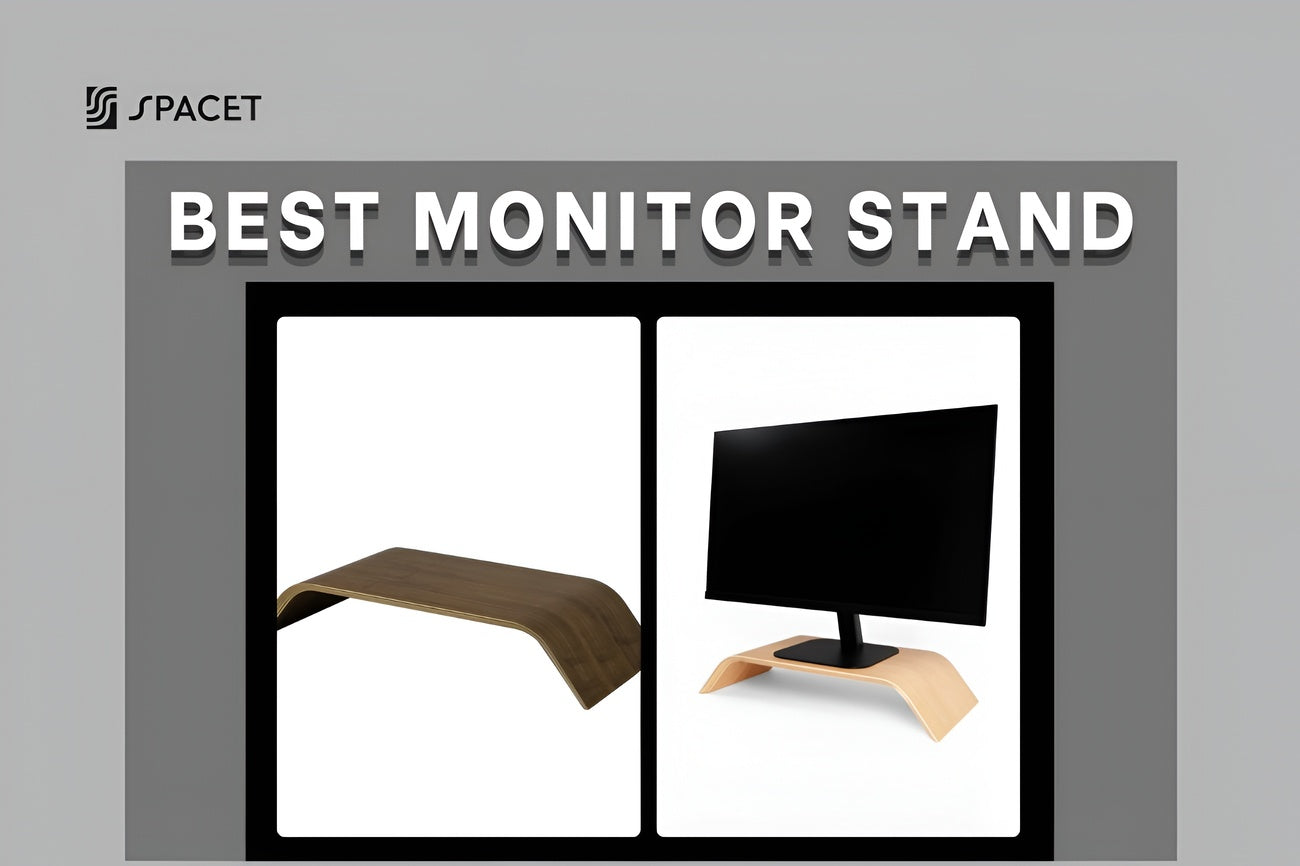
A desk shelf gets your screen up to the right height on the desk you already own, clears up surface clutter, and gives your keyboard a proper home underneath. It solves the core ergonomic problem without requiring you to replace your entire setup.
How Spacet Can Help You
At Spacet, we understand how much proper monitor placement matters for the way your body feels after a full day of work. We focus on designing products that help you optimize ergonomics and workspace organization right on your existing desk, built from premium natural wood with a clean, minimal aesthetic that fits almost any setup.
The Desk Shelf Pro v2.0 is crafted from solid black walnut or natural oak and raises your monitor to eye level while creating a clean storage zone underneath for your keyboard, cables, and everyday items. It comes in four finishes: Black Walnut, Oak, All Black, and White Oak, so it fits naturally into most desk aesthetics from warm wood to modern minimal.

The AIRY Modular Desk Shelf takes things further with a modular build that lets you customize your configuration over time. Add trays, expand the layout, or adapt it as your needs change. If you are building a long-term setup and want the flexibility to grow into it, this one is worth a close look.

Both solve the monitor height problem properly, while making your desk look and feel more organized in the process.
>> Browse the full Desk Shelf System to find the right fit for your space.
A Smarter Daily Work Routine
The most practical answer to the standing desk vs. sitting desk debate is both, in the right balance, combined with real movement throughout your day. Aim to rotate every 30 minutes if you have a standing desk, or set a reminder to get up and walk around for a few minutes every half hour if you are working at a traditional desk.
Whatever setup you have, these five habits will make a bigger difference than the desk itself:
- Keep your monitor at eye level, with the top of the screen sitting around 5 to 10cm below your eyes.
- Sit or stand with a natural upright spine, not hunched forward or leaning back to see the screen.
- Keep your wrists relaxed and flat when typing, not bent up or angled down.
- Rest your feet flat on the floor or use a footrest if your chair height does not quite match your desk.
- Move regularly throughout the day, because this matters more than whether you are sitting or standing.
FAQs About Standing and Sitting at Work
Is standing at a desk actually better than sitting?
Not automatically. Standing does offer some benefits for circulation and blood sugar control, but standing for too long causes its own problems including muscle fatigue, swollen legs, and lower back strain. Neither posture is universally better. What matters most is rotating between the two and moving regularly rather than staying locked in any one position all day.
Does sitting at a desk all day cause back pain?
Sitting with good posture and a properly positioned screen does not have to cause back pain. The most common culprits are a screen that is too low, a chair that is not adjusted correctly, and not taking enough movement breaks, not sitting itself. Get those three things right and your back will thank you.
How long should you stand when using a standing desk?
Most ergonomics experts recommend keeping standing sessions to 30 to 40 minutes at a time before switching back to sitting. A rhythm of roughly 30 minutes sitting followed by 30 minutes standing works well for most people, ideally with a short walk or stretch in between rather than immediately swapping from one static position to another.
Is sitting all day really that bad for your health?
It can be, but context matters. The research shows that sitting for more than 10.5 hours a day without breaks carries significant health risks. If you interrupt your sitting regularly by standing up and moving around, those risks drop considerably, even without a standing desk.
If I don't have a standing desk, how can I improve my posture while sitting?
The single most impactful change you can make is raising your screen to eye level using a desk shelf or monitor riser. Pair that with a properly adjusted chair and a reminder to stand up every 25 to 30 minutes, and you will have addressed the main causes of sitting-related discomfort without needing to replace your desk.
Can a desk shelf replace a standing desk?
Not entirely, since a desk shelf does not let you stand while working. But it does solve the most critical ergonomic issue for seated work, which is a monitor that sits too low, at a fraction of the cost and without taking up extra floor space. If your primary goal is to sit more comfortably and healthily, a desk shelf is a very practical place to start.
Which is better for me: a standing desk or a desk shelf?
If you want the freedom to alternate between sitting and standing throughout the day and budget is not a concern, a standing desk is worth considering. But if you want to fix your posture and improve your seated ergonomics right now, without replacing your current desk, a desk shelf is the more practical and accessible solution for most people.
No matter which setup you choose, the biggest wins come from getting your monitor at the right height and keeping your body moving throughout the day. We at Spacet are here to help you build a workspace that feels as good as it looks. For more tips on ergonomics and workspace design, head over to the Spacet Blog.

Share: