


Choosing the best dual monitor stand for corner desk setups requires careful attention to usable desk width, mounting clearance and screen positioning. Corner and L-shaped desks create different space constraints from standard rectangular desks, especially when two monitors share the same working area. Spacet helps create a more organized dual-monitor workspace with desk shelves and modular solutions designed to make better use of available desktop space.
What Type of Dual Monitor Stand Works Best for a Corner Desk?
A dual monitor arm often works well when independent screen adjustment is the priority, while a desktop riser or desk shelf suits a more fixed arrangement. The right choice depends on mounting access, monitor weight, available straight desk width and how much storage the workstation needs.
When should you choose a dual monitor arm?
A dual monitor arm allows each display to be raised, tilted or angled according to the workstation layout. This flexibility can be useful when a corner desk sits close to two walls or when the primary and secondary screens serve different tasks.

Before installing an arm, check whether the rear edge of the desk is accessible. Frames, cable trays, drawers and wall clearance can interfere with C-clamp or grommet mounting.
When is a desk shelf better for a corner workstation?
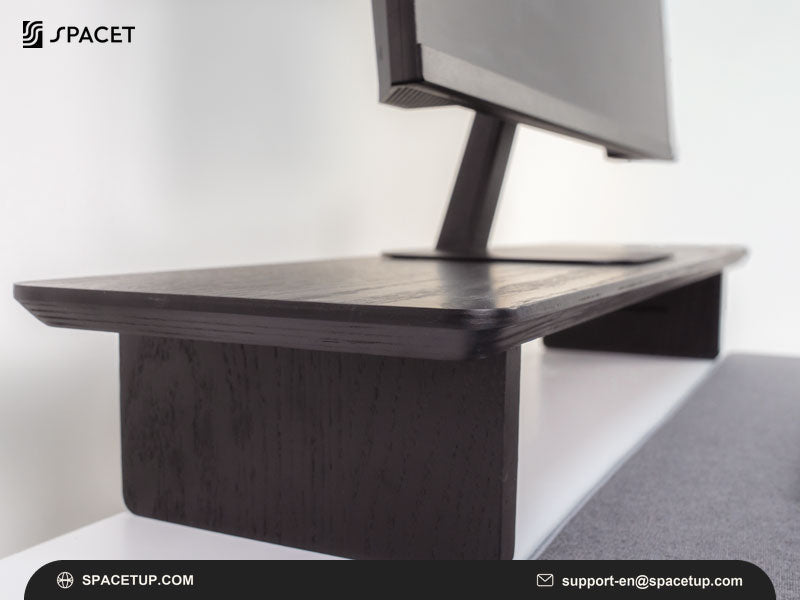
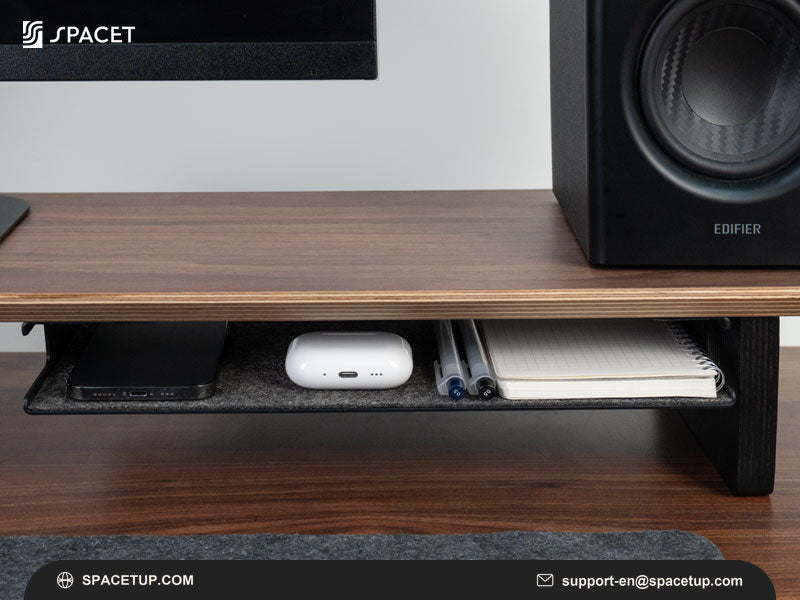
A desk shelf works well when the monitors can remain in relatively fixed positions and organization is equally important. The raised surface can create room underneath for a keyboard, notebook or smaller accessories.
People comparing different monitor stands for desk layouts should therefore consider both screen positioning and storage rather than judging a solution only by how high it raises the displays.
How Should You Position Two Monitors on a Corner Desk?
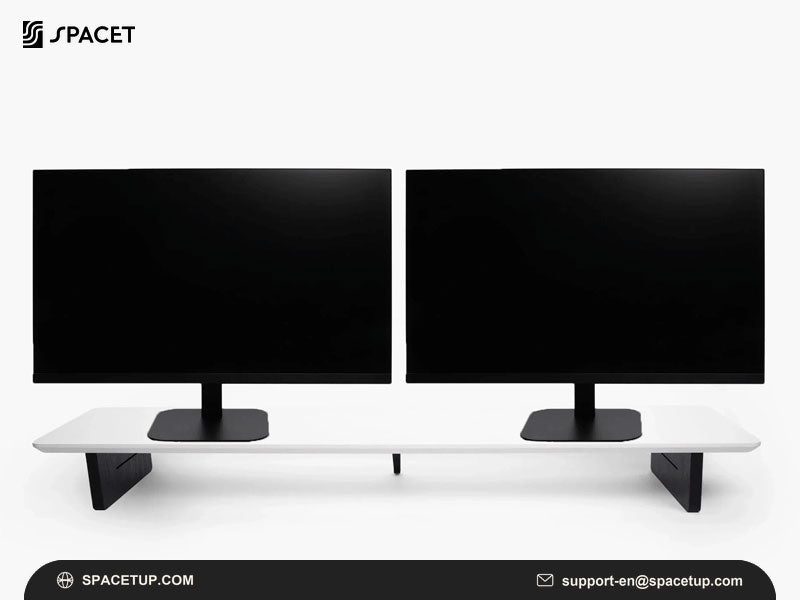
Dual monitors can sit across the corner or along one straight section of an L-shaped desk. The better arrangement depends on where the user sits, the width of each display and whether the remaining section of the desk is needed for a laptop, documents or other equipment.
Should dual monitors sit across the corner or along one side?
Positioning the displays across the corner can work well when the seating position faces the intersection of the two desk surfaces. The screens should have enough clearance from the walls for their bases or mounting hardware.
Placing both displays along one side can simplify the setup when that surface provides sufficient width. This arrangement also leaves the second section available for other tasks.
How should two screens be angled?
The primary display should generally remain directly in front of the main working position, while the secondary display can angle inward for easier viewing.
Avoid positioning both screens so far apart that frequent head movement becomes necessary. Actual monitor width matters more than diagonal screen size when planning the arrangement.
What Should You Measure Before Installing Dual Monitors on a Corner Desk?
Measure the usable straight width, desk depth, desktop thickness and rear clearance before choosing monitor hardware. Corner desks can have substantial total surface area while still providing limited room for a wide shelf or mounting system in the section where the monitors will sit.
How do desk width and depth affect monitor placement?
Measure the straight section that will physically support the monitor setup rather than adding together both sides of an L-shaped desk.
Desk depth also determines how much room remains between the displays and the keyboard. Large monitor bases can consume considerable working space when screens are placed directly on the desktop.
If you are planning a dual monitor stand for 32 inch displays, actual monitor width and base dimensions become especially important because two large screens can quickly occupy most of a corner workstation.
What mounting specifications should you check?
For an arm-based setup, confirm:
- monitor weight and supported screen size;
- VESA mounting pattern;
- desktop thickness;
- clamp or grommet requirements;
- arm reach and adjustment range;
- clearance between the desk and surrounding walls.
Compatibility should be established before choosing a product based on finish or appearance.
Which Spacet Desk Shelves Suit a Corner Desk Setup?
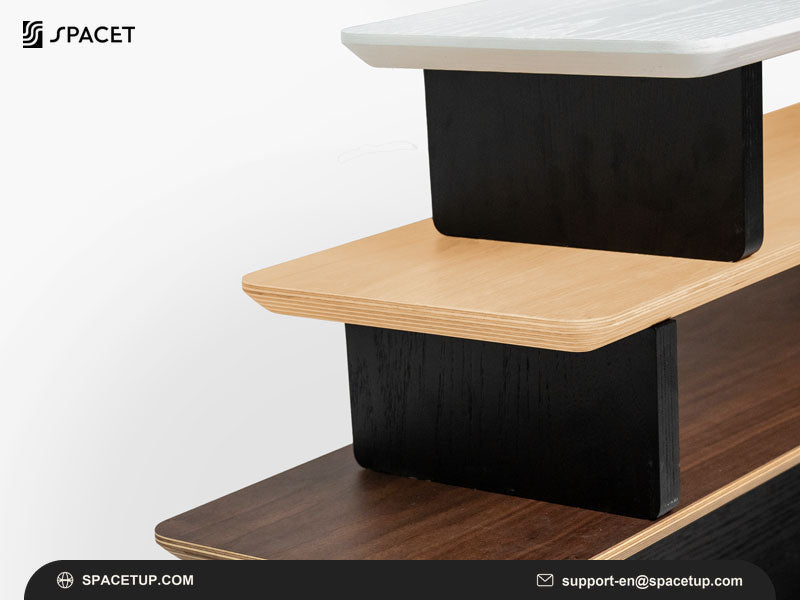
Spacet desk shelves can provide fixed monitor elevation and additional organization when a corner desk has enough straight surface area. Workspace, AIRY Modular and Desk Shelf Pro v2.0 address different organization needs, allowing the workstation to be planned around available space and equipment rather than a single universal configuration.

Which option works for a more compact workstation?
The Desk Shelf - Workspace provides a 107 cm-wide surface with a two-tier structure and sliding tray. The format can suit a corner workstation with sufficient straight desktop width while adding storage underneath the raised surface.
The sliding section can help separate smaller work items from the main keyboard and mouse area, which is useful when the second section of an L-shaped desk serves another purpose.
Which option suits an expandable dual-monitor workstation?
The AIRY Modular Desk Shelf is designed around a modular mounting system. The Large version provides a wider platform for multi-device workstations, while compatible accessories can be added as the setup develops.
This approach is useful when a corner workstation needs to accommodate changing combinations of displays, laptops and desk accessories without placing every device directly on the desktop.
Which option suits a more integrated workstation?
The Desk Shelf Pro v2.0 provides a wider premium desk-shelf format with integrated lower storage. The Large configuration is particularly relevant when a substantial straight section of the corner desk is available.
Before selecting any shelf, compare its dimensions with the usable desk surface and the actual footprint of both monitor bases.
How Can You Save Space With Two Monitors on an L-Shaped Desk?
A corner desk becomes easier to use when vertical and under-shelf space handle equipment that does not need to remain in the primary working area. Keyboard storage, vertical laptop storage and dedicated accessory locations can preserve more of the desktop for active work.
How can under-shelf storage reduce clutter?
A raised shelf creates a second level within the workstation. Depending on the shelf design, the lower area can accommodate a keyboard, notebook or frequently used accessories when those items are not needed.
This prevents smaller objects from spreading across both sections of an L-shaped desk.
Which accessories can complement a modular setup?
A modular workstation can add storage and device holders according to the equipment actually being used. Spacet's Modular Collection provides compatible organization options for building around the AIRY system.
For a workstation that may eventually expand beyond two displays, planning desk width and mounting capacity early is also important. A triple monitor stand creates different weight, reach and space requirements and should not be treated as a simple extension of a dual-screen layout.
Complete Your Corner Desk Workspace With Spacet
A practical corner workstation starts with a monitor arrangement that fits the desk, followed by organization solutions for the remaining equipment. Spacet offers desk shelves, modular systems and workspace accessories that can help create defined areas for monitors, laptops, keyboards and everyday desk essentials.

Users who want to coordinate several parts of the workstation can also explore Spacet workspace products after measuring the available desk area. Comparing product dimensions and functions against the actual corner-desk layout makes it easier to build a setup that stays organized as equipment and working needs change.
Contact Spacet
- Website: spacetup.com
- Email: support-en@spacetup.com
- Location: Toronto, Canada

Share:
Best Dual Monitor Stand for 32 Inch: Key Features to Consider
Best Dual Monitor Stand for Desk Against Wall: Maximize Desk Space