


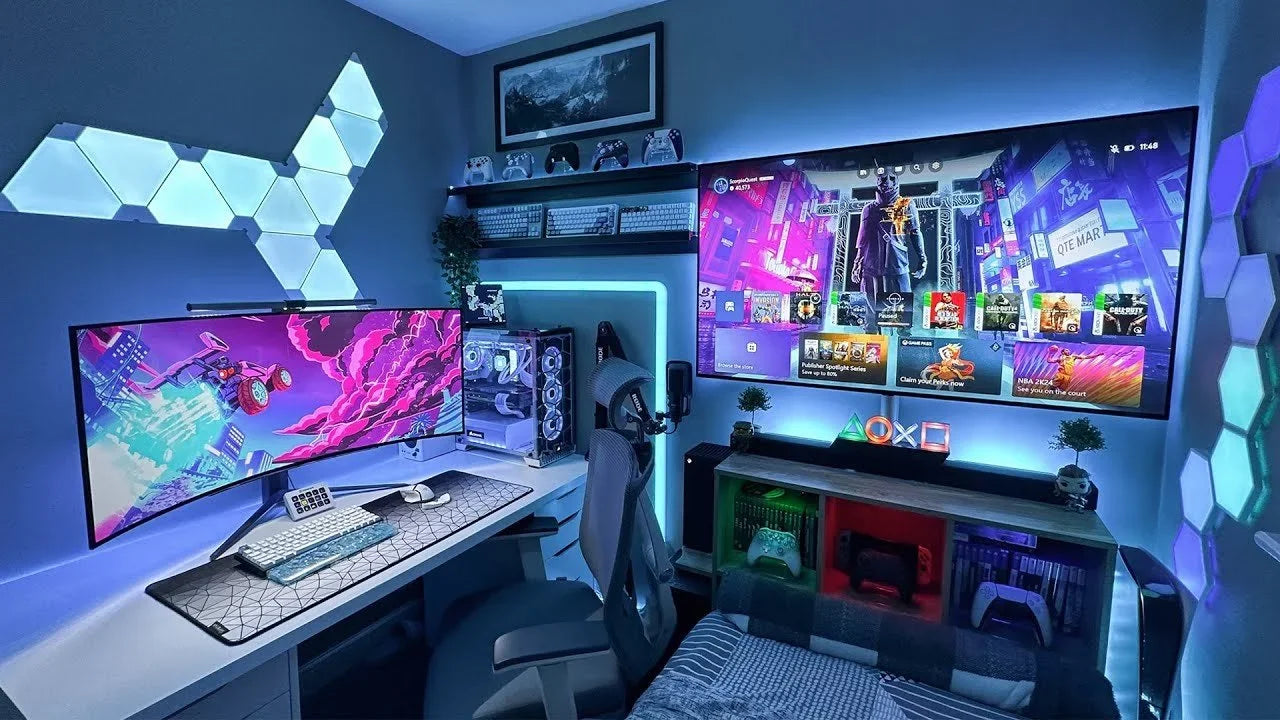
En 2026, les joueurs exigent plus que de la puissance brute, ils veulent des installations épurées, une ergonomie intelligente et des bureaux sans distractions. Un PC puissant ne signifie pas grand-chose sans les bons accessoires de bureau de jeu pour soutenir de longues sessions, des réactions rapides et un confort à long terme.
Cet article vous aidera à découvrir les meilleurs accessoires de bureau de jeu pour façonner les configurations modernes en 2026 et améliorer votre espace ainsi que vos performances.
1. L'étagère de bureau
Alors que le jeu s'oriente vers les moniteurs ultra-larges, le mouvement de souris à faible sensibilité et les bureaux sans encombrement, les étagères de bureau en 2026 sont conçues comme des accessoires de bureau de jeu déplaçant le rangement vers le haut, et non vers l'extérieur. Au lieu d'occuper un espace de bureau précieux, une étagère de bureau élève les accessoires au-dessus de la surface principale, gardant la zone de jeu dégagée et efficace.

Les joueurs modernes préfèrent désormais les étagères de bureau modulaires avec des composants additionnels ou un design à deux niveaux. Ces systèmes sont conçus pour :
- Supporter les moniteurs ultra-larges ou doubles (généralement 34"–49")
- Offrir une hauteur d'étagère réglable (généralement 8–15 cm de dégagement en dessous)
- Intégrer des accessoires modulaires tels que des crochets latéraux, des supports de casque ou des porte-manettes
2. Le tiroir de rangement
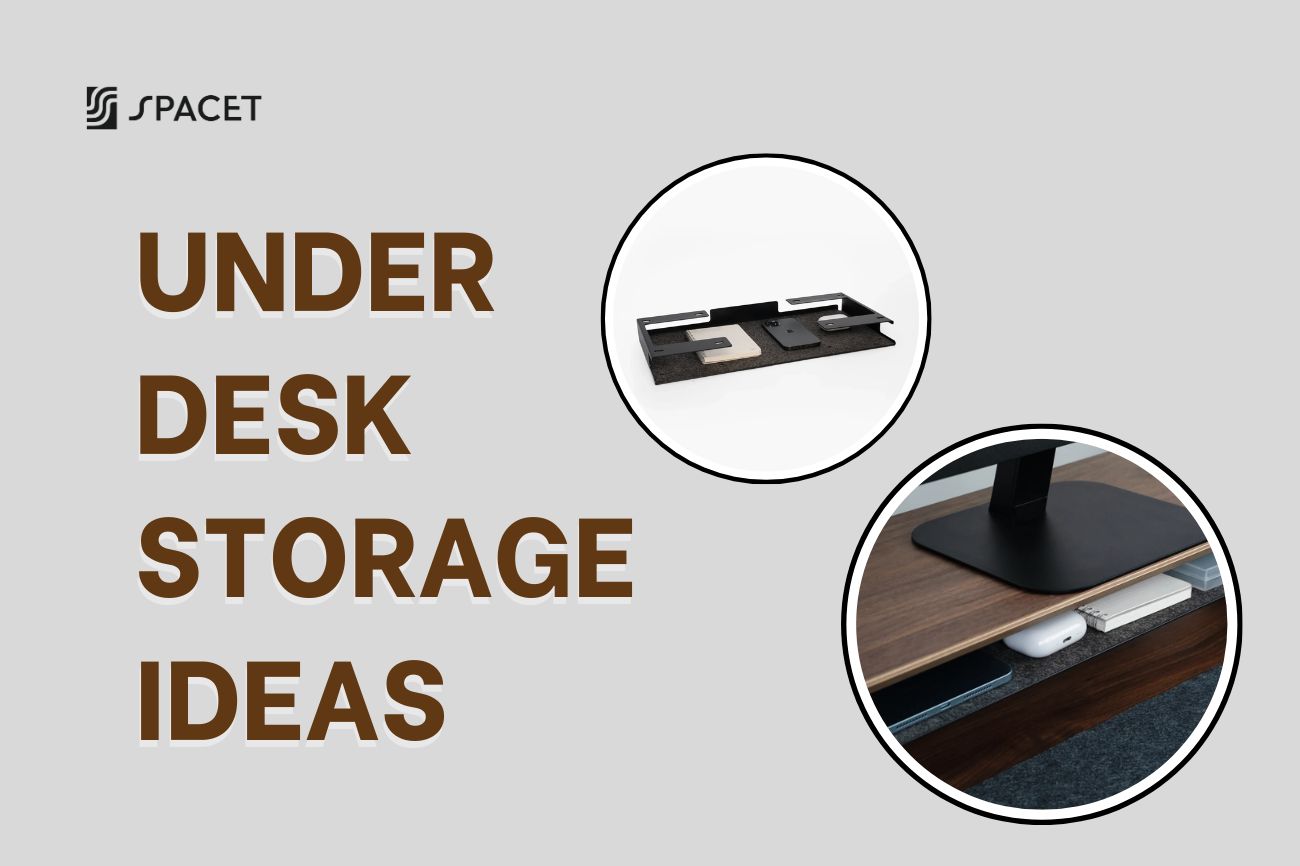
Les solutions modernes incluent des accessoires de bureau de jeu clés tels que le tiroir de rangement sous le bureau, le tiroir à plateau de bureau et le plateau modulaire d'étagère de bureau additionnel, résolvant ce problème en déplaçant les articles rarement utilisés hors de vue mais à portée de main.

Les caractéristiques typiques recherchées par les joueurs incluent :
- Faible hauteur de tiroir (40–70 mm) pour maintenir l'espace pour les jambes
- Fixation par pince ou rail sans outil pour une installation et un repositionnement rapides
- Intérieurs segmentés pour organiser les câbles, les adaptateurs et les étuis de chargement
3. Tapis de bureau
Dans les configurations de jeu modernes, un tapis de bureau de jeu ou un tapis de bureau fonctionne comme un accessoire de bureau de jeu à la fois stabilisateur de surface et tampon thermique. À mesure que les claviers et les souris deviennent plus lourds et les bureaux plus minces, les joueurs comptent sur les tapis de bureau pour absorber les vibrations, réduire le bruit de surface et maintenir un contrôle d'entrée constant pendant de longues sessions.

Les joueurs préfèrent de plus en plus les tapis de bureau en coton et en lin, avec des caractéristiques clés telles que :
- Surfaces respirantes en coton et lin qui dissipent la chaleur et restent confortables pendant une utilisation prolongée du PC
- Revêtement en caoutchouc antidérapant pour maintenir la stabilité pendant les mouvements rapides de la souris
- Rembourrage de densité moyenne (3–5 mm) qui équilibre la protection du bureau avec un contrôle précis des entrées
4. Tapis de souris
Un tapis de souris dans le jeu moderne sert de surface de précision qui influe sur la précision du suivi et la constance des mouvements. Alors que le jeu à faible DPI et les grands mouvements de bras deviennent la norme, les tapis de souris couvrant tout le bureau sont désormais préférés aux formats plus petits. Les joueurs privilégient les tapis de souris comme accessoires de bureau de jeu fabriqués avec des tissus micro-tissés ou des surfaces en tissu hybride, conçus pour offrir une glisse contrôlée avec une puissance de freinage prévisible.

Les principales caractéristiques incluent désormais :
- Grandes dimensions de surface (900–1200 mm de largeur) pour soutenir la visée à faible sensibilité
- Texture de surface uniforme pour maintenir un suivi de capteur constant sur tout le tapis
- Base en caoutchouc dense ou en mousse naturelle (3–4 mm) pour éviter la compression et le glissement du bureau
6. Le porte-stylo
Dans les configurations de jeu hybrides où le jeu, le travail et les études partagent le même bureau, les petits objets comme les stylos, les stylets et les outils peuvent rapidement perturber l'efficacité de l'agencement. Un porte-stylo centralise ces accessoires dans une seule zone verticale, aidant à maintenir une surface propre optimisée pour le mouvement de la souris et le placement des périphériques.

En 2026, les joueurs préfèrent les porte-stylos verticaux compacts avec des fonctionnalités telles que :
- Matériaux durables tels que l'acier laqué, l'aluminium anodisé ou le bois massif pour une utilisation à long terme
- Conception à faible encombrement (60–80 mm de diamètre) pour préserver l'espace horizontal du bureau
- Hauteur verticale équilibrée qui maintient plusieurs outils en toute sécurité sans basculer
6. Station d'accueil pour ordinateur portable
Alors que les ordinateurs portables de jeu continuent de remplacer les ordinateurs de bureau traditionnels, la station d'accueil pour ordinateur portable est devenue l'accessoire de bureau de jeu essentiel, servant de hub de connexion pour une configuration moderne. En particulier, la double station d'accueil avec support vertical est devenue indispensable pour les joueurs hybrides. Conçue pour maintenir deux ordinateurs portables à la verticale et souvent associée à un support vertical pour ordinateur portable, cette configuration permet aux utilisateurs de passer facilement des modes mobile aux modes bureau tout en gardant l'espace de travail organisé.

En 2026, les joueurs hybrides recherchent des stations d'accueil pour ordinateur portable avec les spécifications suivantes :
- Connectivité USB-C ou Thunderbolt 4 prenant en charge les données, la vidéo et l'alimentation par un seul câble
- Sortie d'affichage à taux de rafraîchissement élevé, généralement 144 Hz en 1080p ou 120 Hz en 4K
- Ports Ethernet et multi-USB intégrés pour une mise en réseau à faible latence et une stabilité des périphériques
7. Support d'ordinateur portable
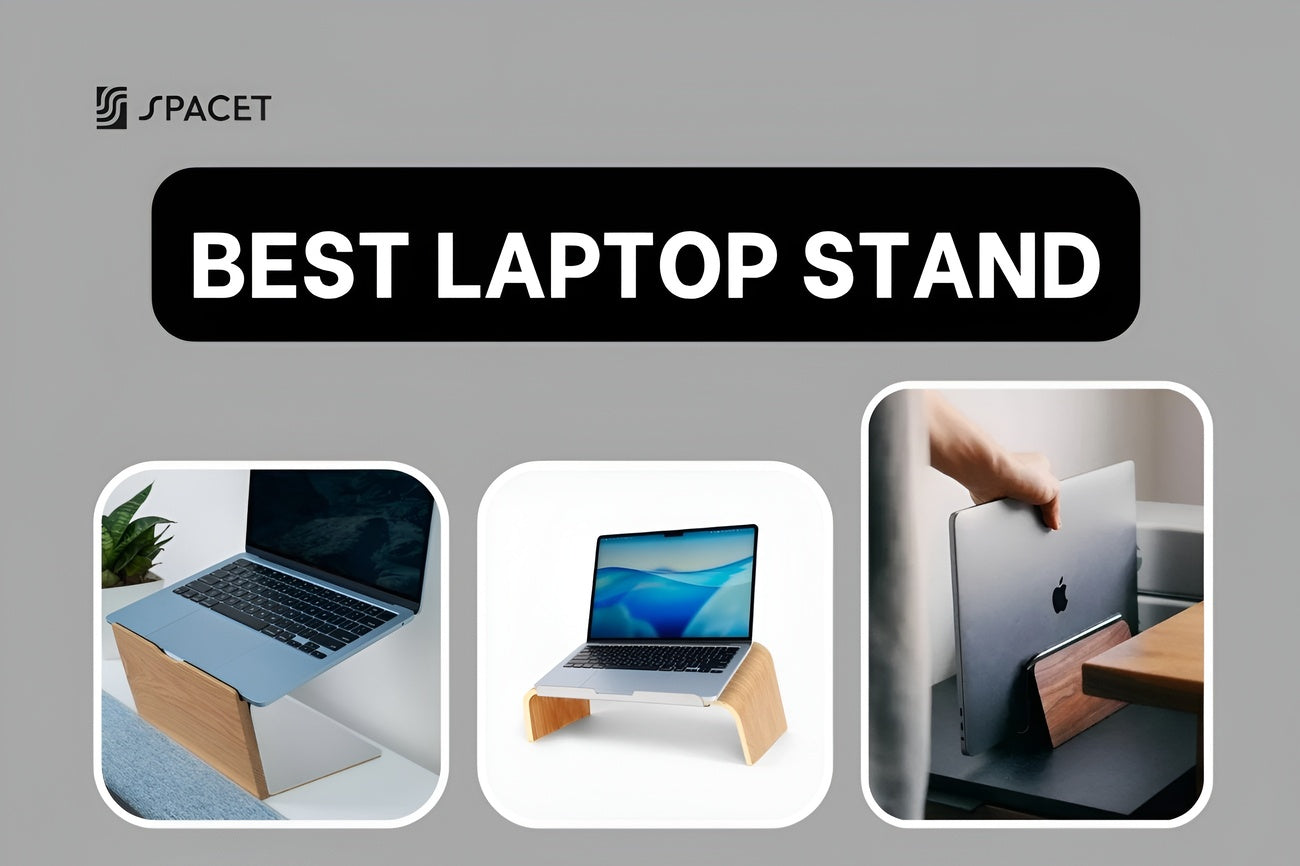
À mesure que les ordinateurs portables de jeu chauffent davantage et que les sessions durent plus longtemps, les supports d'ordinateur portable ou les supports pour ordinateur portable jouent un rôle essentiel en tant qu'accessoires de bureau de jeu à la fois dans la gestion thermique et l'alignement ergonomique. Élever l'ordinateur portable améliore la circulation de l'air par le bas tout en positionnant l'écran plus près du niveau des yeux, réduisant ainsi la flexion du cou pendant le jeu, le streaming ou le multitâche.

Les joueurs préfèrent les supports d'ordinateur portable réglables avec des caractéristiques telles que :
- Plage de réglage de la hauteur de 50 à 150 mm pour s'adapter aux différentes positions assises et hauteurs de bureau
- Construction en aluminium ou en acier à cadre ouvert pour améliorer la dissipation de la chaleur et la stabilité structurelle
- Points de contact en silicone antidérapants pour maintenir l'ordinateur portable en toute sécurité pendant une utilisation intense
8. Support de casque
Si vous recherchez des accessoires de bureau de jeu essentiels pour les configurations de jeu modernes, les casques sont les meilleurs pour les longues sessions, ce qui rend un rangement approprié essentiel pour le maintien du confort et l'organisation du bureau. Un support de casque empêche les coussinets d'oreille d'être compressés contre la surface du bureau, aidant à préserver la forme du rembourrage et la tension du bandeau au fil du temps.

Il n'est pas surprenant que les gamers privilégient les supports de casque avec des fonctionnalités telles que :
- Des bras de support larges et incurvés (largeur de contact de 40 à 60 mm) pour répartir uniformément le poids du casque
- Des canaux de gestion des câbles intégrés pour éviter l'emmêlement des fils et le désordre sur le bureau
- Des bases de charge sans fil ou de concentrateur USB optionnelles pour centraliser l'alimentation et la connectivité
9. Support de moniteur
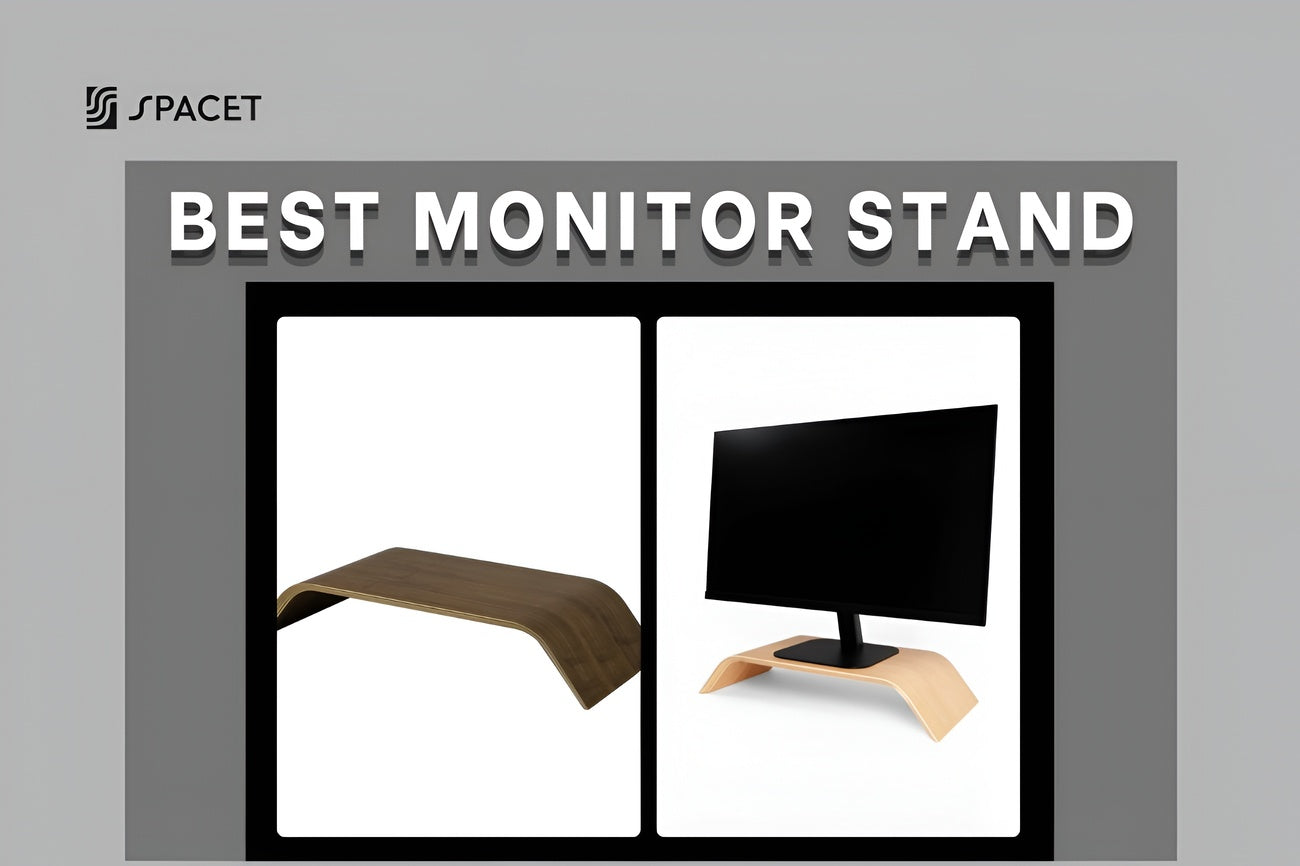
À mesure que la taille des écrans augmente et que les sessions de jeu s'allongent, les supports de moniteur sont devenus des accessoires ergonomiques fondamentaux pour les bureaux de jeu modernes. Relever l'écran au niveau des yeux contribue à réduire la flexion du cou et la tension des épaules, permettant aux gamers de maintenir une posture neutre pendant de longues sessions de jeu ou de streaming.

En 2026, les gamers recherchent des supports de moniteur dotés de fonctionnalités telles que :
- Une hauteur d'élévation de 80 à 120 mm pour aligner le tiers supérieur de l'écran avec le niveau des yeux
- Une capacité de charge élevée (20 à 40 kg) pour supporter les configurations de moniteurs ultra-larges ou empilés
- Un espace de rangement intégré pour les manettes, les barres de son ou les petits accessoires afin de réduire l'encombrement du bureau
10. Support de tablette
Dans les configurations de jeu et de streaming modernes, les tablettes fonctionnent souvent comme des panneaux de contrôle secondaires pour la modération de chat, les guides ou les logiciels de streaming. Pour cette raison, un support de tablette positionne l'écran dans le champ de vision périphérique, permettant aux gamers de consulter des informations sans perdre leur concentration ni changer de posture.

Cette année, les gamers privilégient les supports de tablette et les accessoires de bureau de jeu qui offrent :
- Un réglage multi-angle (15°–75°) pour maintenir une visibilité claire en position assise ou debout
- Des bases lestées ou renforcées (≥500 g) pour éviter le basculement lors des mouvements du bureau
- Des points de contact en silicone antidérapants pour maintenir les tablettes de différentes tailles sans les rayer
11. Support d'enceinte
Un positionnement audio précis est essentiel dans les jeux modernes, où les signaux sonores spatiaux aident les joueurs à réagir plus rapidement et à rester immergés. Un support d'enceinte élève les enceintes de bureau au niveau de l'oreille et les désolidarise mécaniquement de la surface du bureau, réduisant ainsi les vibrations qui peuvent déformer les fréquences moyennes et hautes.

D'ici 2026, les gamers recherchent des supports d'enceintes compacts avec des fonctionnalités telles que :
- Une plage d'élévation optimisée (100–180 mm) pour un alignement sonore correct
- Des surfaces de contact amortissant les vibrations utilisant des isolateurs en caoutchouc ou en mousse
- Des bases peu encombrantes conçues pour les bureaux de jeu étroits et les configurations multi-écrans
12. Support MagSafe
Dans les configurations de jeu actuelles, les smartphones servent fréquemment de hubs de contrôle auxiliaires pour la messagerie, la lecture de musique et les commandes domotiques. Un support MagSafe maintient l'appareil bien en vue tout en assurant une charge sans fil fiable, minimisant les interruptions pendant le jeu ou le streaming en direct.

Les jeunes gamers apprécient les supports MagSafe dotés de fonctionnalités telles que :
- Un alignement magnétique puissant (aimants de grade N52 ou équivalent) pour maintenir un positionnement stable
- La prise en charge de la charge rapide sans fil (jusqu'à 15 W) pour des recharges rapides entre les sessions
- Des positions de visualisation fixes ou inclinées (30°–60°) pour assurer une visibilité claire sans soulever l'appareil
13. Support Apple Watch
Pour les fans d'iPhone qui construisent leur installation de jeu autour de l'écosystème Apple, un support Apple Watch permet de garder leur technologie portable chargée, protégée et visuellement alignée avec un bureau propre. En fixant la montre dans une position dédiée, il élimine les câbles desserrés et réduit le risque de contact de l'écran avec les surfaces dures du bureau.

En 2026, les fans d'iPhone préfèrent les supports Apple Watch avec des fonctionnalités telles que :
- Une compatibilité avec les câbles de charge magnétiques Apple d'origine pour une intégration transparente
- Un positionnement de la montre incliné ou surélevé (30°–45°) pour protéger l'écran et améliorer la visibilité
- Des matériaux minimalistes tels que l'aluminium, le silicone ou le bois massif qui s'intègrent aux bureaux de jeu modernes
14. Lampe de bureau
Alors que les sessions de jeu tardives deviennent la norme, un éclairage de bureau équilibré est crucial pour le confort visuel et la concentration. Une lampe de bureau dédiée crée un éclairage uniforme et ciblé autour du poste de travail, réduisant l'écart de luminosité entre l'écran et la pièce et aidant à prévenir la fatigue oculaire pendant les longues sessions de jeu ou de streaming.

En 2026, les gamers recherchent des lampes de bureau dotées de :
- Une température de couleur réglable (2700K–6500K) pour passer d'une lumière ambiante chaude à un éclairage de travail froid
- Une technologie LED sans scintillement pour réduire la fatigue oculaire lors d'une utilisation prolongée
- Un bras ou une tête réglable pour une direction précise de la lumière sans éblouissement de l'écran
15. Rétroéclairages de moniteur
Les rétroéclairages de moniteur jouent un rôle clé dans le confort visuel et l'immersion, en particulier lors de longues sessions de jeu dans des environnements faiblement éclairés. En ajoutant une lumière ambiante contrôlée derrière l'écran, ils réduisent la fatigue oculaire causée par le contraste élevé entre l'écran et l'espace environnant, sans provoquer d'éblouissement direct.

En 2026, les gamers privilégient les rétroéclairages de moniteur avec des fonctionnalités telles que :
- Un éclairage d'appoint neutre ou chaud (4000K–6500K) pour réduire la fatigue oculaire pendant les longues sessions
- Des bandes LED diffusées qui distribuent la lumière uniformément sur le mur
16. Support de multiprise
Les configurations de jeu modernes incluent souvent plusieurs moniteurs, consoles et appareils de charge, rendant une gestion fiable de l'alimentation essentielle. Un support de multiprise maintient les sources d'alimentation fermement positionnées, contribuant à réduire la tension des câbles, à prévenir les déconnexions accidentelles et à limiter l'accumulation de poussière causée par un placement au sol.

Le montage sous le bureau est la configuration tendance pour les bureaux de jeu aujourd'hui, avec de nombreuses caractéristiques exceptionnelles telles que :
- Des designs de montage sous le bureau qui gardent l'accès à l'alimentation caché mais accessible
- Un support de charge élevée (jusqu'à 2500–4000 W) pour gérer plusieurs appareils de jeu en toute sécurité
- Des matériaux résistants à la chaleur comme l'acier ou l'ABS renforcé pour une durabilité à long terme
17. Hub USB à charge rapide
Les bureaux de jeu modernes supportent bien plus qu'un clavier et une souris. Des manettes et casques sans fil aux téléphones, écouteurs et équipements de streaming, un hub USB à chargement rapide centralise à la fois l'alimentation électrique et la connectivité des données dans un appareil compact.

En 2026, les joueurs privilégient les hubs USB dotés des caractéristiques techniques suivantes :
- Alimentation USB-C (PD 65–100 W) pour charger rapidement les téléphones, les manettes et les accessoires sans limitation thermique
- Transfert de données à haute vitesse (USB 3.2 Gen 2 jusqu'à 10 Gbit/s) pour prendre en charge les périphériques avec une latence minimale
- Gestion thermique active et boîtiers en aluminium pour éviter la surchauffe pendant la charge et le jeu simultanés
18. Clavier de jeu ergonomique
Un clavier ergonomique est conçu pour maintenir l'alignement naturel du poignet et de la main pendant de longues sessions de jeu ou de travail. Dans les configurations modernes, il équilibre confort et performance, aidant à réduire la fatigue sans sacrifier la vitesse ou la précision.

En 2026, les joueurs se concentrent sur les claviers ergonomiques dotés de ces caractéristiques techniques essentielles :
- Disposition divisée ou incurvée avec inclinaison réglable (5°–15°) pour réduire la tension du poignet et améliorer la posture à long terme
- Commutateurs mécaniques à faible force (actionnement de 45–55 g) pour une réponse rapide tout en minimisant la fatigue des doigts
- Anti-ghosting avec N-key rollover complet pour assurer une saisie précise lors de jeux à haute intensité
19. Souris de jeu ergonomique
Un repose-poignet de souris est conçu pour stabiliser le poignet et réduire la pression pendant de longues sessions de jeu ou de productivité. Maintenir une position neutre du poignet aide à minimiser la tension, l'inconfort et le risque de blessures dues aux mouvements répétitifs, en particulier pour les joueurs à faible sensibilité ou les utilisateurs qui passent de longues heures devant leur bureau.

D'ici 2026, les joueurs s'attendent à ce que les repose-poignets de souris offrent ces caractéristiques techniques clés :
- Support intégré en gel ou mousse à mémoire de forme (épaisseur ≥20 mm) pour répartir uniformément la pression sur le poignet et réduire la fatigue
- Patins en PTFE à faible friction avec coefficient de friction dynamique <0,7 pour un mouvement fluide et contrôlé sur les grands tapis de souris
- Angle d'inclinaison ergonomique (pente intérieure de 5°–10°) pour maintenir un alignement naturel du poignet pendant les mouvements de suivi et de flick
20. Chaise de jeu ergonomique
Une chaise de jeu ergonomique favorise une bonne posture pendant de longues sessions de jeu, de streaming ou de travail. Contrairement aux chaises standard, elle est conçue pour réduire la charge vertébrale, améliorer la circulation et maintenir le confort pendant de longues heures sans compromettre la stabilité ou la réactivité.

D'ici 2026, les spécifications techniques essentielles seraient axées sur :
- Système lombaire réglable (dynamique ou 2D/4D, plage de profondeur 40–60 mm) pour soutenir la courbe en S naturelle de la colonne vertébrale et réduire la pression lombaire
- Mousse haute densité moulée à froid (≥50 kg/m³) avec cadre en acier pour une rétention de forme à long terme et une capacité de charge allant jusqu'à 150–180 kg
- Ajustabilité multi-axes incluant des accoudoirs 4D, une profondeur d'assise (±50 mm) et des angles d'inclinaison jusqu'à 165° avec vérin à gaz de classe 4 pour la stabilité et la sécurité
21. Boîtier de gestion des câbles
Un boîtier de gestion des câbles enferme les multiprises, les adaptateurs et les câbles en excès dans une unité organisée. Il aide à maintenir la circulation de l'air autour des appareils électroniques tout en gardant la zone du bureau propre, sûre et sans distraction – particulièrement important pour les configurations de jeu à haute puissance.

Dans les environnements de jeu modernes, privilégiez les boîtiers dotés de ces caractéristiques :
- Matériaux résistants à la chaleur (ABS ou PC ignifuge, tolérance ≥120 °C) pour gérer en toute sécurité les adaptateurs d'alimentation et les charges continues
- Fentes de ventilation intégrées ou panneaux perforés pour éviter l'accumulation de chaleur pendant de longues sessions de jeu
- Capacité interne spacieuse (longueur ≥30 cm) pour accueillir les multiprises, les grands blocs d'alimentation et les câbles tressés épais
22. Rail d'alimentation sous bureau
Un rail d'alimentation sous le bureau se monte directement sous le plateau, créant une source d'alimentation fixe et organisée pour les moniteurs, les PC et les périphériques. Il maintient les câbles hors du sol, raccourcit les longueurs de câble et améliore la sécurité – en particulier pour les bureaux de jeu réglables et debout.

Les configurations de jeu modernes privilégient les rails d'alimentation avec ces spécifications :
- Capacité de charge élevée (15–20 A, jusqu'à 1800–2400 W) pour supporter simultanément les PC de jeu, les moniteurs et les accessoires
- Boîtier en métal ou en aluminium avec prises de terre pour la durabilité, la résistance à la chaleur et la stabilité électrique
- Installation par serrage ou vissage avec orientation verticale, permettant aux câbles de pendre naturellement sans tension lors des changements de hauteur du bureau
23. Bureau de jeu ergonomique
Un bureau de jeu ergonomique est la base d'une configuration moderne, conçu pour soutenir de longues sessions sans compromettre la posture, le confort ou la performance. En 2026, les bureaux ne sont plus de simples surfaces planes ; ils intègrent l'ajustabilité, le contrôle des câbles et la capacité de charge pour prendre en charge les environnements multi-écrans et hybrides de jeu-travail.

Les principales spécifications recherchées par les joueurs incluent :
- Réglage en hauteur (650–1300 mm) via des systèmes électriques à double moteur pour supporter le jeu assis et debout avec des transitions stables
- Capacité de charge élevée (80–120 kg) pour supporter en toute sécurité plusieurs moniteurs, PC et accessoires montés sans vacillement du bureau
- Fonctionnalités intégrées de gestion des câbles, telles que des chemins de câbles arrière, des œillets ou des rails sous le bureau, pour maintenir un espace de travail propre et sans distraction
24. Support de manette
Un support de manette permet de garder les manettes de jeu organisées et prêtes à l'emploi. Il empêche les manettes d'être endommagées ou égarées. Certains supports modernes prennent également en charge les stations de charge, ajoutant un confort supplémentaire et évitant l'usure des boutons ainsi que les chutes accidentelles.

Les caractéristiques communes incluent :
- Support simple ou double manette pour les manettes de console et de PC
- Encombrement compact (moins de 120 mm de large) pour économiser de l'espace sur le bureau
- Base en plastique ABS ou silicone pour la stabilité et la protection contre les rayures
25. Repose-pieds sous bureau
Un repose-pieds de jeu soutient un positionnement correct des jambes pendant de longues sessions de jeu. En gardant les pieds surélevés et stables, il aide à réduire la pression sur le bas du dos et améliore la posture globale pour les joueurs qui restent assis pendant de longues périodes.

Les repose-pieds de jeu modernes en 2026 se concentrent généralement sur le confort, la durabilité et l'ajustabilité, avec des spécifications clés telles que :
- Plage de hauteur réglable (100–150 mm) pour s'adapter à différentes configurations de bureaux et de chaises
- Mousse à mémoire de forme haute densité ou mousse PU moulée pour un soutien durable sans s'aplatir
- Base en caoutchouc antidérapante ou dessous en tissu texturé pour maintenir le repose-pieds stable pendant les sessions de jeu intenses
Réflexions finales
Les accessoires de bureau de jeu fonctionnent désormais ensemble comme un système connecté, façonnant la façon dont les joueurs s'assoient, se déplacent, se concentrent et récupèrent pendant les longues sessions. L'ergonomie, l'organisation modulaire et la gestion propre des câbles soutiennent directement le confort et la performance à long terme, les rendant aussi essentiels que les fréquences d'images ou les taux de rafraîchissement. Spacet réunit ce système et aide les joueurs à créer une configuration où chaque accessoire soutient le suivant pour un bureau plus propre, une meilleure posture et un environnement de jeu conçu pour la performance à long terme.

Partager:
1 commentaire
Excellent article on gaming desk accessories and setup organization. I liked how you covered not only the usual items like desk pads, monitor stands, and headphone holders, but also smaller details such as cable management and under-desk storage that can make a huge difference in a gaming setup. A clean and organized desk really helps improve both comfort and performance during long gaming sessions. At NSD Gaming Supply, we share the same passion for helping gamers build better setups with quality gaming accessories and streaming gear. Anyone looking for more setup inspiration can also visit https://nsdgamingsupply.com/.