


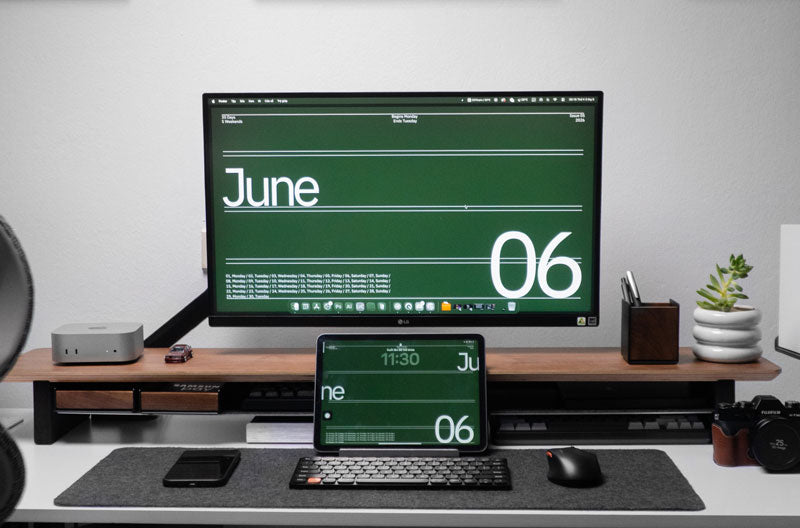
Understanding how high above a desk should shelves be starts with a practical reference: place the bottom of a standard wall shelf about 22 to 24 inches (55 to 60 cm) above the desktop. Taller monitor setups may need 25 to 27 inches (63 to 68 cm), while decorative shelves can sit around 30 inches (75 cm) or higher. Spacet helps extend this function-first approach to the desktop with workspace solutions for clearer organization.
How High Above a Desk Should a Shelf Be?
For most standard desk setups, position the bottom of the first wall shelf about 22 to 24 inches (55 to 60 cm) above the top surface of the desk. This range generally provides practical clearance for a standard monitor while keeping everyday shelf contents reasonably accessible from the workstation.

Use 22 to 24 inches (55 to 60 cm) as the standard starting range rather than an absolute rule. Raised monitors, monitor arms, unusually deep shelves, standing desks, and decorative-only shelves can require a higher position, so confirm the complete workstation before drilling into the wall.
Where should you measure shelf height from?
Measure from the top surface of the desktop vertically to the underside of the wall shelf. For a standard setup, that measurement should typically be about 22 to 24 inches (55 to 60 cm).
This reference is more useful than measuring from the floor because desks can have different heights. If the workstation uses a height-adjustable desk, calculate clearance from the highest position at which the desk and equipment will operate beneath the shelf.
How does monitor height affect shelf placement?
A standard monitor setup can usually work beneath a shelf positioned 22 to 24 inches (55 to 60 cm) above the desktop. If a raised monitor stand or articulated monitor arm increases the display height, move the shelf to roughly 25 to 27 inches (63 to 68 cm) above the desk as a practical starting range.
Standard monitors are often around 15 to 18 inches tall in the reference setup used for this guide, leaving roughly 6 to 12 inches between the monitor area and a shelf mounted at the standard height. Check the actual display and support dimensions because monitor bases, risers and arms can change the required clearance.
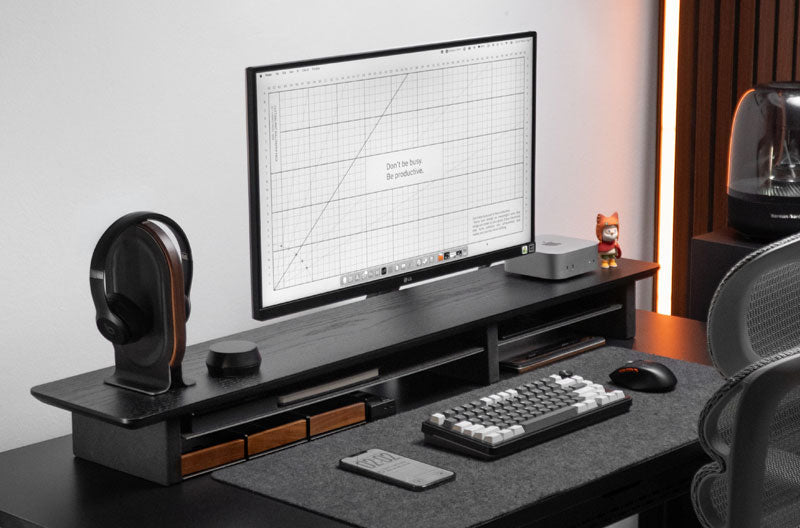
If monitor positioning is the primary concern, deciding what monitor stand to buy should start with the monitor base, available desk area, desired elevation, and the stand's intended load rather than screen size alone. Spacet's monitor stand collection provides a dedicated route for comparing display-elevation solutions.
How does shelf depth affect placement?
Shelf depth changes how far the structure projects into the workspace. A shallow shelf used for a few decorative objects has a different spatial effect from a deeper shelf intended for storage.
As shelf depth increases, pay closer attention to visual clearance, headroom, monitor position, and accessibility. A shelf that technically fits on the wall can still feel intrusive when installed too low.
What Should You Measure Before Installing Shelves Above a Desk?
Measure the desk, equipment, and wall as one system. The tallest permanent equipment provides the starting point, while shelf depth and accessibility determine whether the proposed position will remain practical.
Which desk equipment determines the minimum clearance?
Measure anything that permanently occupies vertical space, including:
- Monitor and monitor base
- Speakers
- Desk lamp
- Laptop on an elevated support
- Other tall desktop equipment
The tallest permanent object generally establishes the minimum functional area that must remain unobstructed.
Horizontal dimensions matter as well. When considering a desktop alternative, how long a desk shelf be depends on the actual equipment footprint and available desk width rather than a standard proportion that applies to every workstation.
Can you comfortably reach the wall shelf?
Accessibility should reflect how often the shelf contents are used. Frequently accessed notebooks or supplies should remain easier to reach than purely decorative pieces.
Objects used only occasionally can occupy a higher secondary storage zone. Avoid creating a shelf that requires uncomfortable stretching every time you need an everyday item.
Does a standing desk change shelf placement?
Yes. A wall-mounted shelf remains stationary while a height-adjustable desktop moves vertically.
Check the desk at its highest intended position with the monitor and other tall equipment in place. The complete moving workstation needs sufficient clearance beneath the fixed wall shelf.
How Does Shelf Purpose Change the Best Height Above a Desk?
Shelf purpose influences placement because decoration, frequent storage, and occasional storage have different accessibility requirements.

How should you position a decorative shelf?
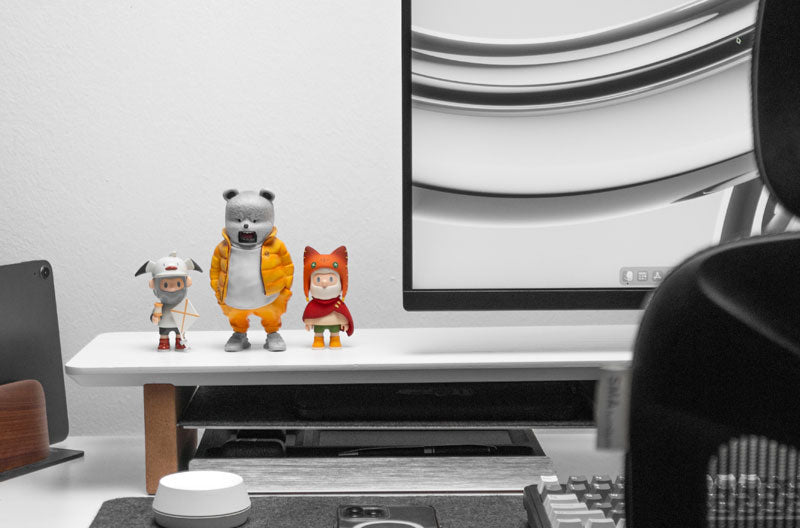
For a decorative shelf used mainly for artwork, display pieces, plants or rarely accessed objects, around 30 inches (75 cm) or more above the desktop is a practical reference. The higher position separates decoration from the active monitor zone, although the final height should still suit the wall and objects being displayed.
If you are also considering how to decorate and organize desk shelves, keep the active desktop layer relatively restrained. Decorative wall storage can carry some visual elements while the desktop remains focused on daily equipment.
How should you position a frequently used storage shelf?
For frequently used storage, start around the standard 22 to 24-inch (55 to 60 cm) height above the desktop because this keeps the shelf closer to seated reach while preserving space for a typical monitor setup. Move the shelf higher when tall equipment requires additional clearance.
Small accessories do not necessarily need wall space. A dedicated Spacet desk organizer can move compact items into a defined desktop storage zone instead.
How much clearance should you leave above a monitor?
For a standard monitor that sits roughly 15 to 18 inches high in the reference setup, aim for approximately 6 to 12 inches of open space between the top monitor area and the underside of the shelf. Raised monitors or monitor arms may need the shelf moved to about 25 to 27 inches (63 to 68 cm) above the desktop. Always confirm the actual monitor height before installation.
The important relationship is:
desktop surface → monitor top → usable clearance → shelf underside
This measurement sequence provides a more reliable planning method than starting with a generic distance from the floor.
How Should Multiple Shelves Be Arranged Above a Desk?
When adding a second or third shelf, spacing shelves about 12 to 14 inches (30 to 35 cm) apart is a practical starting point. This range can accommodate many upright books, compact storage items and decorative objects while keeping the wall arrangement usable.
Do wall shelves need to align with the desk?
Not necessarily. Centering shelves with the desk can create a balanced appearance, but functional placement can justify an offset arrangement.
Monitor position, nearby furniture, wall dimensions, and the location of frequently accessed items may all influence alignment.
How much space should you leave between shelves?
Leave about 12 to 14 inches (30 to 35 cm) between stacked shelves as a general working range. Increase the spacing when tall books, plants or display objects require more vertical room, and reduce clutter rather than compressing oversized objects into a fixed gap.
The 12 to 14-inch range should still be checked against the objects being stored. A useful relationship is:
stored object height + usable access clearance = practical shelf spacing
Should every shelf have the same depth?
No. Different depths can serve different purposes, provided each shelf is properly installed for its intended use.
Deeper shelves near the monitor or seated work area deserve additional consideration because they project farther into the workspace.
What Shelf Placement Mistakes Should You Avoid Above a Desk?
Many placement problems result from treating the wall separately from the workstation.
|
Mistake |
Why it causes problems |
|
Measuring only from the floor |
Desk heights vary |
|
Ignoring monitor height |
Shelf may restrict display space |
|
Planning around current equipment only |
Future upgrades may not fit |
|
Installing daily storage too high |
Frequently used items become harder to access |
|
Mounting a deep shelf too low |
Shelf may intrude into the work zone |
|
Ignoring standing-desk travel |
Moving equipment may approach the shelf |
|
Filling all available wall space |
Workstation can feel crowded |
The same planning principle applies to DIY desk modifications. Anyone researching how to make a pull out shelf for a desk should also check knee clearance, desk structure, equipment movement, and available depth before installing sliding hardware.
Which Spacet Products Can Organize the Space Below Wall Shelves?
When the wall shelf handles decoration or secondary storage, Spacet products can help structure the active workspace below.

For compact items, the Storage Drawer and other organization accessories can create dedicated storage rather than leaving loose equipment across the desk. Users who need to compare different organization approaches can browse all Spacet products according to the specific function their workstation requires.
This function-based approach also avoids adding another shelf simply because empty space exists. Sometimes the better solution is reorganizing the desktop rather than increasing the amount of storage.
Plan the Space Above and Below Your Desk With Spacet
A practical workstation treats the wall, monitor area, and desktop as connected zones. Position wall shelves according to monitor clearance, shelf depth, accessibility, and the equipment already occupying the workspace, then organize frequently used objects closer to the desktop.
Spacet provides workspace organization solutions that complement this layered approach. Instead of filling every available surface, build each level around a clear purpose so the complete workstation remains accessible, adaptable, and visually balanced.
Contact Spacet
- Website: spacetup.com
- Email: support-en@spacetup.com
- Location: Toronto, Canada

Partager: