


Choosing the best dual monitor stand for 32 inch screens requires more than checking display size. Weight capacity, VESA compatibility, monitor width, mounting range and available desk space all affect whether a setup will work safely and comfortably. Spacet explains the key measurements and support options to consider while showing how smart workspace organization can complement a large dual-monitor setup.
What Should the Best Dual Monitor Stand for 32-Inch Screens Support?
A suitable support system for two 32-inch displays must handle each screen safely while providing enough horizontal and vertical range for the preferred layout. Weight capacity per screen, VESA compatibility and arm reach are more useful buying criteria than diagonal screen size alone.

How much weight capacity do two 32-inch monitors require?
Check the actual weight of each display against the manufacturer's stated capacity. If an arm supports a certain total weight, do not automatically assume that weight can be distributed in any way between two screens.
The mounting specification should explicitly accommodate each display. The same principle applies to a fixed monitor stand: usable surface dimensions and rated load matter more than the product's appearance.
Which VESA specifications should you check?
VESA describes the mounting-hole pattern on the back of a compatible display. Common patterns include 75 × 75 mm and 100 × 100 mm, but the correct specification must be confirmed from the individual monitor.
Check both the monitor and mounting hardware rather than assuming every 32-inch display uses the same pattern.
Why does arm reach matter for two large screens?
Two 32-inch displays create a substantial horizontal footprint. A dual arm needs enough reach to place both screens side by side and allow the displays to angle inward without forcing the mounting joints into awkward positions.
Arm reach becomes even more important when combining landscape and portrait orientations.
How Much Desk Space Do Two 32-Inch Monitors Need?
There is no universal desk width for two 32-inch monitors because actual display width, bezel dimensions, screen angle and mounting method vary. Measure the physical monitors and available desktop rather than calculating the setup from the 32-inch diagonal measurement.
How should you measure desk width for dual 32-inch monitors?
Measure the actual width of each display first. Consider how the monitors will meet in the centre and whether both screens will sit flat or angle toward the viewing position.
Allow additional room for equipment such as speakers, a laptop, lighting or charging accessories. A workstation that technically accommodates both screens can still feel crowded when every centimetre of desktop width is occupied.
Does desk depth matter for large monitors?
Yes. Desk depth affects viewing distance and determines how much working space remains for a keyboard and mouse.
A fixed riser with large monitor bases may consume more desktop depth than a clamped monitor arm. Measure both the equipment footprint and the usable working area before deciding.
Is a Monitor Arm or Desk Stand Better for Two 32-Inch Monitors?
A monitor arm is generally more appropriate when two large displays require independent positioning, while a desk shelf is useful when fixed elevation and workspace organization are the priorities. Neither format is automatically better; the correct choice depends on monitor compatibility and the way the screens need to move.
|
Solution |
Adjustment |
Organization |
Main compatibility check |
|
Dual monitor arm |
High |
Frees desktop area |
Weight, VESA and reach |
|
Two single arms |
High |
Frees desktop area |
Clamp space and capacity |
|
Desktop riser |
Low |
Moderate |
Surface dimensions and load |
|
Desk shelf |
Low |
High |
Shelf width, depth and load |
When does a dual monitor arm make more sense?
Choose an arm when frequent height, tilt, swivel or rotation adjustments are important. Independent positioning is particularly useful when two large screens serve different tasks.
Users comparing monitor stands for desk setups should therefore distinguish fixed desktop platforms from mechanical arms before comparing individual products.
When does a desk shelf make more sense?
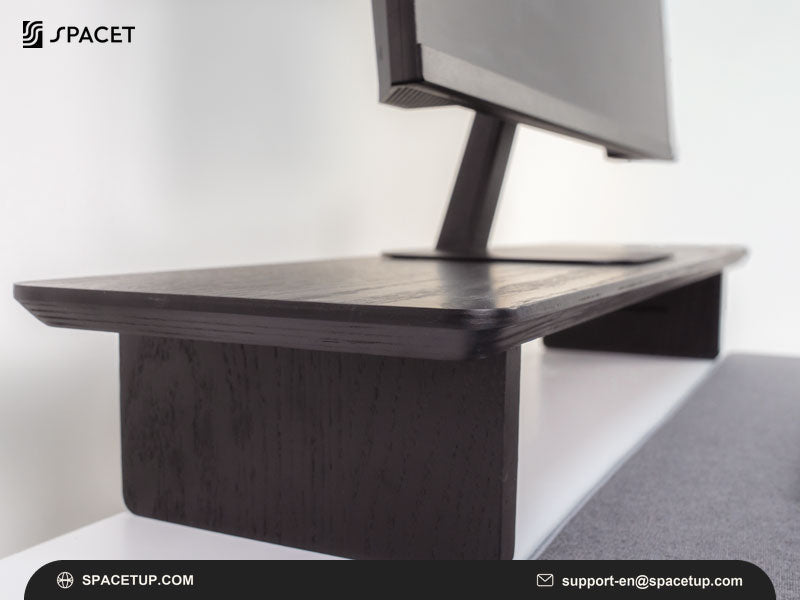
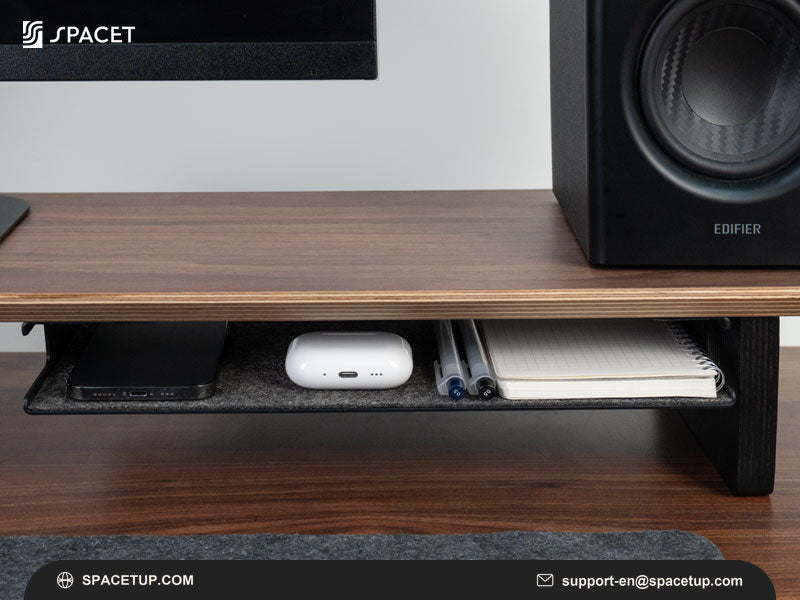
A desk shelf becomes more relevant when the priority is creating a structured workstation around the displays. Space underneath can accommodate a keyboard or accessories, while the raised surface separates equipment from the main working area.

A shelf should still be selected according to confirmed monitor dimensions and capacity.
How Can Spacet Support a Dual 32-Inch Monitor Workspace?
A dual 32-inch setup needs more than enough surface width for two displays. Spacet helps build a more organized workstation around large monitors by combining monitor elevation, usable desk space and workspace accessories, allowing each component to have a clearer place within the setup.
Which Spacet solutions work for larger dual-monitor setups?
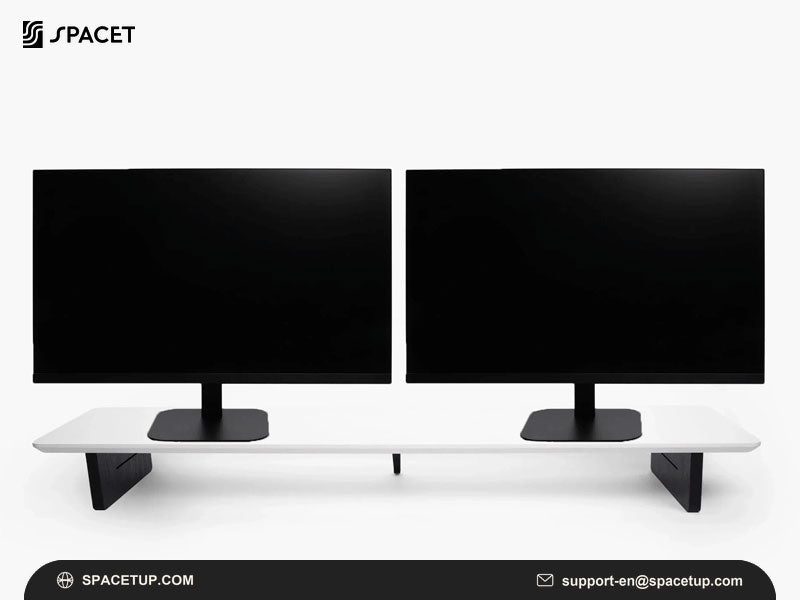
For wider workstations, the Large AIRY Modular Desk Shelf provides an expansive surface with an accessory system that can evolve as the setup changes. The Large Desk Shelf Pro v2.0 takes a more integrated approach, combining a wide desktop platform with additional organization space.
Users can explore Spacet's desk shelf comparison to compare dimensions, monitor configurations, materials and organization features before choosing a solution. For 32-inch displays, checking the actual monitor width, base dimensions and available desk space will help determine how each product can fit into the overall workstation.
Beyond the displays themselves, Spacet offers desk shelves, device stands and workspace accessories that can help turn a large dual-monitor desk into a cleaner, more structured working environment.
How Can You Organize a Desk With Two 32-Inch Monitors?
Once the displays have a suitable mounting solution, organization becomes the next challenge. Two large monitors leave less room for laptops, speakers, cables and everyday accessories, so each additional product should solve a specific space problem.
How can you keep a large dual-monitor workstation organized?
Start by separating equipment according to how often it is used. Keep the keyboard and mouse in the primary working zone, then move secondary devices vertically or underneath raised surfaces where appropriate.
A closed laptop, for example, does not need to consume valuable horizontal desktop space. Small accessories can similarly be moved into dedicated storage rather than surrounding the monitor bases.
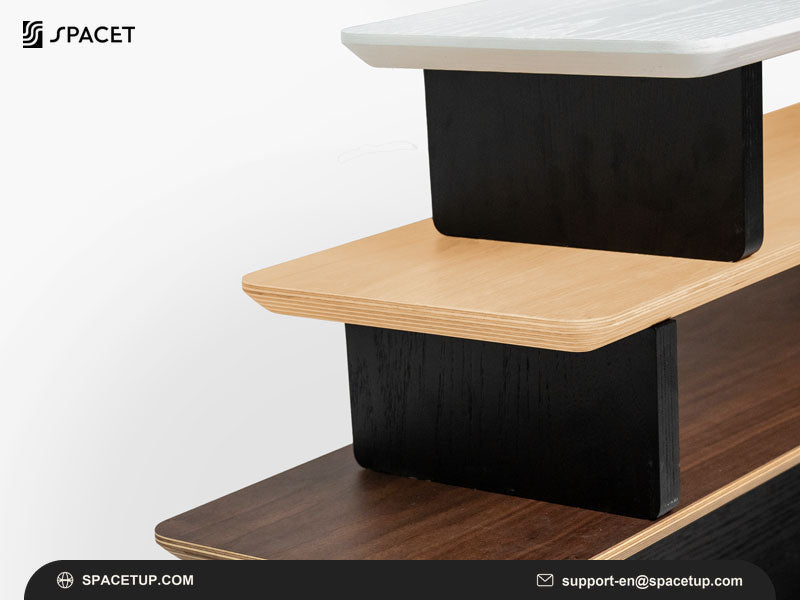
Spacet's Modular Collection is relevant when the workstation needs to evolve around changing equipment rather than remain a fixed arrangement.
What Should You Measure Before Buying a Dual 32-Inch Monitor Solution?
Measure the monitors, mounting requirements and desk before purchasing. A reliable compatibility check should include actual display dimensions, individual monitor weight, VESA pattern, desktop dimensions and mounting clearance.
Which monitor specifications should you record?
Record:
- actual monitor width and height;
- weight of each display;
- VESA mounting pattern;
- monitor thickness;
- original base dimensions if using a shelf or riser.
These measurements provide more useful information than diagonal screen size alone.
Which desk measurements should you record?
Measure total desk width, desk depth and desktop thickness. For clamp-mounted arms, check the available rear edge and any frame or cable tray underneath the desktop.
If you are deciding where to buy monitor stand options and related desk accessories, review the Spacet collection only after confirming these measurements. Compatibility should narrow the shopping list before materials, finish or aesthetics influence the final decision.
Which Dual-Monitor Layout Works Best for 32-Inch Screens?
The best layout depends on desk width and workflow. Side-by-side screens provide a broad continuous workspace, portrait combinations suit vertically oriented content, while stacked displays reduce horizontal space requirements.

Are two 32-inch monitors practical side by side?
Yes, provided the desk and mounting system offer sufficient width. Slightly angling both screens inward can create a more natural viewing arrangement than positioning two large displays completely flat.
Is a stacked configuration useful on a narrower desk?
A stacked layout reduces horizontal footprint, but the mounting hardware must provide enough vertical range and appropriate load capacity.
The same principle applies when evaluating a triple monitor stand: increasing the number of screens makes mounting capacity, adjustment range and structural compatibility more important than simply finding a wider platform.
What Mistakes Should You Avoid With Two 32-Inch Monitors?
The most common mistake is buying according to the “32-inch” label alone. A reliable setup requires several specifications to work together.
Avoid:
- ignoring weight capacity per screen;
- assuming every 32-inch monitor uses the same VESA pattern;
- overlooking desk thickness for clamp mounts;
- estimating width from diagonal screen size;
- assuming high load capacity guarantees multi-monitor compatibility;
- choosing a desk shelf without measuring both monitor bases.
Planning the complete workstation before buying accessories can also prevent several products from competing for the same desktop space.
Spacet Workspace Solutions for Large Dual-Monitor Setups
After selecting compatible mounting hardware for two 32-inch monitors, Spacet can help organize the workstation surrounding those displays. Desk shelves, device stands, storage solutions and modular accessories can address the remaining laptop, keyboard and accessory clutter without being presented as unsupported dual-32-inch mounting solutions.
The most effective approach is to solve compatibility first and organization second. That distinction creates a workstation where large displays have appropriate support while every additional accessory earns its place through a clear functional purpose.
Contact Spacet
- Website: spacetup.com
- Email: support-en@spacetup.com
- Location: Toronto, Canada

Share:
Best Monitor Stand Reddit Discussions: What Actually Matters Before You Buy
Best Dual Monitor Stand for Corner Desk: Setup & Buying Guide