


Proper monitor positioning plays an important role in maintaining a comfortable and ergonomic workspace. How high should a monitor be on a desk? The top of the screen should generally sit at or slightly below eye level, allowing a natural downward viewing angle without unnecessary neck strain. Spacet offers practical desk shelf solutions that help elevate low-positioned monitors while providing additional storage for a cleaner, more organized workspace.
How High Should a Monitor Be on a Desk?
A computer monitor should be positioned with the top of the visible screen at or slightly below eye level. This arrangement encourages a comfortable downward viewing angle without requiring excessive neck movement.

Should the Top of a Monitor Be at Eye Level?
Yes. When sitting upright, the top edge of the display should generally align with your eyes or sit slightly below them.
According to OSHA's computer workstation guidance, the center of the screen should typically fall approximately 15–20 degrees below horizontal eye level.
The goal is comfortable viewing rather than matching a fixed measurement for every user.
How Many Inches Below Eye Level Should a Monitor Be?
There is no universal distance in inches that works for everyone.
Some ergonomic recommendations suggest positioning the screen slightly below eye level, but the appropriate measurement depends on screen height, seating position, and individual vision.
Prioritize a neutral neck position over an exact numerical target.
Does Monitor Height Change With Screen Size?
Larger monitors may require additional positioning adjustments because the visible display extends farther vertically.
For 24-inch, 27-inch, or 32-inch screens, use seated eye level as the primary reference.
Avoid raising a larger display simply because its screen dimensions are greater.
How Far Should a Monitor Be From Your Eyes?
A monitor should be positioned far enough away for comfortable reading without leaning forward. OSHA recommends a general viewing distance of approximately 20–40 inches (50–100 cm).
Is Arm's Length a Good Viewing Distance?
Arm's length provides a convenient starting point for monitor placement.
However, the ideal distance depends on display size, text readability, and individual eyesight. Adjust the screen until text remains clear without leaning forward.
What Is the Best Viewing Angle for a Monitor?
A comfortable viewing position allows the eyes to look slightly downward toward the screen's center.
The monitor should face the user directly, minimizing repeated head rotation.
For single-monitor workstations, position the display approximately in line with the keyboard and primary seating position.
Should a Computer Monitor Be Tilted Backward?
A slight backward tilt can help align the screen surface with the natural viewing direction.
An angle around 10–20 degrees may be useful for some setups, but screen position and reflections determine the appropriate adjustment.
Avoid tilting the monitor excessively or creating glare from overhead lighting.
How Do You Adjust Monitor Height Correctly?
Correct monitor adjustment begins with a comfortable seated position. Once the chair and keyboard are properly arranged, raise or lower the screen until the upper display area aligns with seated eye level.
How Should You Adjust Your Chair First?
Set the chair so your feet rest comfortably on the floor or a footrest.
Keep your shoulders relaxed and elbows close to your body. Adjust keyboard placement to avoid reaching forward or bending your wrists excessively.
How Can You Tell Whether a Monitor Is Too Low?
A monitor may be too low when you repeatedly bend your neck downward to view the screen.
Check your seated posture before making adjustments. If the display remains too low, an appropriate riser or adjustable monitor arm may help.

Understanding what are monitor risers for becomes useful when deciding whether fixed screen elevation and additional desktop storage would improve your workstation.
How Can You Tell Whether a Monitor Is Too High?
A monitor may be too high when you must lift your chin or extend your neck to view the display.
Lower the screen or adjust its supporting stand. Adding a monitor riser to an already elevated display can worsen positioning.
How Should Monitor Height Change for Different Workstations?
Monitor positioning varies across laptops, dual-monitor setups, and workstations used by people wearing multifocal glasses. Each arrangement requires attention to viewing direction and neck comfort.
How High Should a Laptop Screen Be?
A laptop screen should follow similar eye-level positioning principles as a desktop monitor.
Because raising a laptop also elevates its built-in keyboard, an external keyboard and mouse are generally recommended for extended work.
How Should You Position Two Monitors?
For one primary display, position the main monitor directly in front of your seated position.
When using two screens equally, place them close together and arrange their viewing areas to minimize repeated neck rotation.
Should Monitor Height Be Lower for Progressive Glasses?
People wearing bifocal or progressive lenses may benefit from positioning the screen lower than standard recommendations.
A lower display can reduce the need to tilt the head backward when viewing through the lower portion of the lenses.
Should You Use a Monitor Riser or Monitor Arm?
A monitor riser is suitable when a display needs a fixed height increase. A monitor arm is preferable when users frequently adjust screen height, distance, or orientation.
When Is a Monitor Riser the Right Choice?
A monitor riser works well when the existing display sits below the preferred viewing position.
Many risers also create storage underneath the monitor, helping organize keyboards and accessories.
For workstations with overhead storage, understanding how high above a desk should shelves be is equally important. Spacet's guide to shelf placement above a desk explains how to plan wall-mounted storage without interfering with the working area.
When Is an Adjustable Monitor Arm Better?
An adjustable monitor arm offers greater flexibility when repositioning a display throughout the day.
Monitor arms can be particularly useful for shared workstations or height-adjustable desks.
Confirm mounting compatibility and the monitor's supported weight before installation.
Can a Desk Shelf Raise a Monitor to the Correct Height?
Yes, provided the shelf's height, dimensions, and load capacity suit the monitor.
Measure the required elevation before purchasing. A desk shelf should improve screen positioning without placing the display above a comfortable viewing level.
Which Spacet Desk Shelf Can Help Improve Monitor Positioning?
Spacet offers desk shelf systems that combine screen elevation with practical storage. Desk Shelf Pro v2.0 provides integrated organization, while AIRY Modular supports customizable accessories.
When Should You Choose Desk Shelf Pro v2.0?
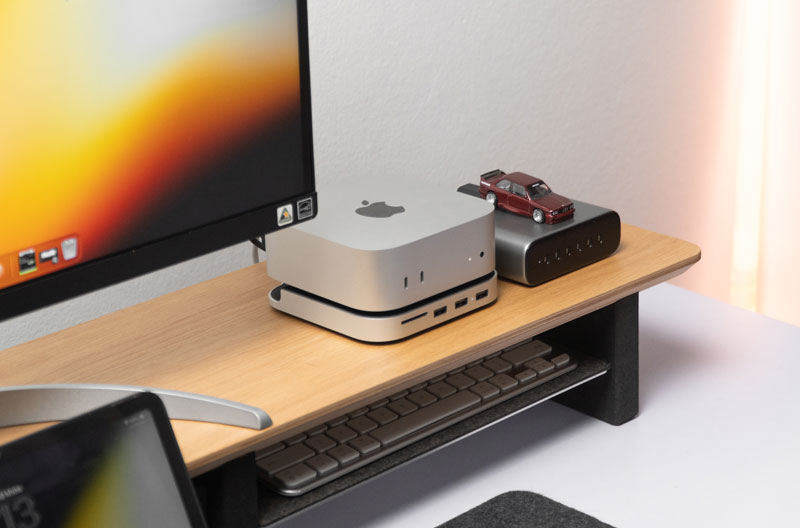
Desk Shelf Pro v2.0 includes an elevated surface and integrated lower storage.
The Spacet Premium Collection 2.0 suits users who want a structured workstation without selecting multiple separate storage accessories.
When Is AIRY Modular Desk Shelf a Better Option?
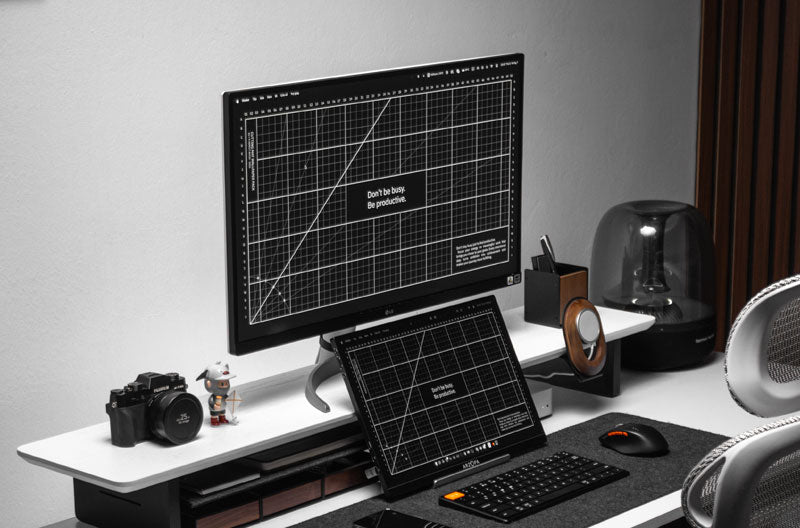
AIRY Modular features an underside mounting grid for compatible organizational accessories.
The AIRY Modular Collection is suitable for users who want to customize accessory placement as their workstation changes.
How Can You Compare Spacet Desk Shelf Options?
Compare shelf height, surface dimensions, monitor compatibility, and storage features before choosing.
Spacet's desk shelf comparison collection helps users evaluate different configurations.
When selecting the best monitor stand for your workstation, consider both ergonomic requirements and storage preferences. Spacet's monitor stand recommendations provide additional guidance.
What Are the Most Common Monitor Height Mistakes?
Common mistakes include positioning screens above eye level, adjusting monitors before chairs, and choosing risers without measuring the required elevation.

Can a Monitor Riser Be Too Tall?
Yes. A fixed-height riser may raise an existing monitor beyond a comfortable viewing position.
Measure seated eye height and the current display position before selecting a shelf.
Does Correct Monitor Height Eliminate Neck Pain?
Correct monitor positioning may reduce unnecessary neck bending, but cannot guarantee relief from discomfort.
Chair support, keyboard placement, movement breaks, and individual health factors also influence workstation comfort.
Create a More Comfortable Desk Setup With Spacet
The correct monitor height depends on seated eye level, viewing distance, and individual comfort. A monitor riser can help when a display sits too low, while an adjustable arm offers greater positioning flexibility.
Spacet provides desk shelf solutions that combine monitor elevation with practical organization. Explore Desk Shelf Pro v2.0 and AIRY Modular to find a configuration that suits your monitor, desktop dimensions, and everyday working needs.
Contact Spacet
- Website: spacetup.com
- Email: support-en@spacetup.com
- Location: Toronto, Canada

Partager: