


The best monitor stand Reddit discussions rarely identify one product that works for every desk. Instead, users tend to compare practical factors such as monitor-base dimensions, available desk space, stability, storage, materials and price before deciding which type of stand makes sense for their setup.
Spacet offers monitor stands and desk shelf systems that address these needs at different levels, from simple screen elevation to wider workspace organization and modular expansion. This guide turns common Reddit buying considerations into practical criteria you can use to compare monitor risers, desk shelves and monitor arms before choosing a solution for your own workspace.
What Do Reddit Users Actually Look for in a Monitor Stand?
Reddit discussions tend to focus on how a monitor stand performs within a real desk setup rather than specifications alone. Available desk space, monitor footprint, storage and long-term practicality often matter as much as appearance. The right choice therefore starts with the workstation, not with a universal product ranking.
Why does available desk space matter?
A monitor stand can solve one space problem while creating another. A riser may open useful room beneath the screen, but an oversized platform can reduce the working area available for a keyboard, mouse and other devices.

This makes desk depth particularly important. When comparing monitor stands for desk setups, consider how much usable surface remains after the stand is installed rather than evaluating width alone.
Why should you measure the monitor base?
Screen size does not reveal how much surface area the original monitor base occupies. Two 27-inch displays can use very different stand designs and footprints.
Measure the width and depth of the base, monitor weight and desired elevation. These measurements provide a more reliable starting point than screen diagonal alone.
Why do storage and appearance influence the decision?
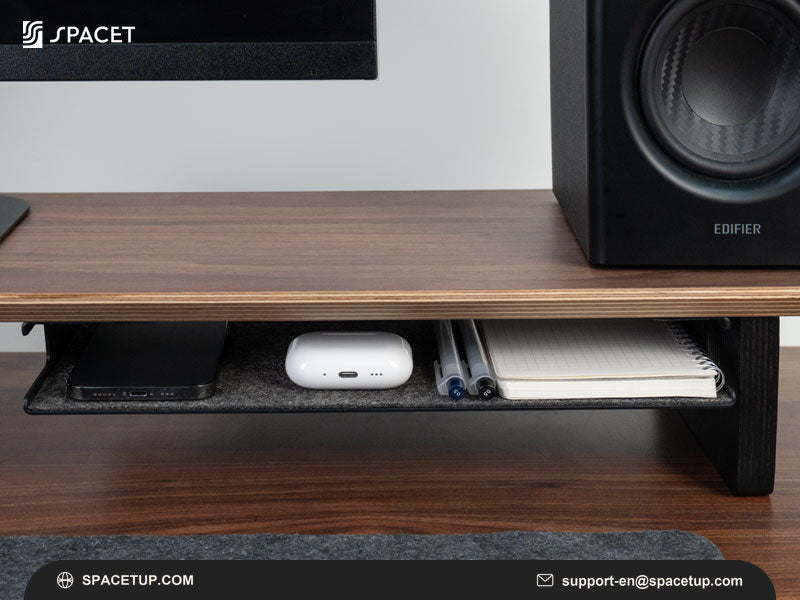
Monitor stands increasingly serve more than one purpose. A wider desk shelf can provide space beneath the display for a keyboard, notebook or small accessories while helping visually separate different areas of the workstation.
Materials and finish also matter when the stand becomes a prominent part of the desk rather than hidden hardware.
What Monitor Stand Problems Should Buyers Try to Avoid?
Poor sizing, insufficient support and unnecessary features can make a monitor stand less useful even when the product itself is well made. Community discussions are valuable because they often expose everyday issues that are difficult to understand from promotional images, including lost desk depth, inconvenient dimensions and long-term rigidity.
Can a monitor stand be too large?
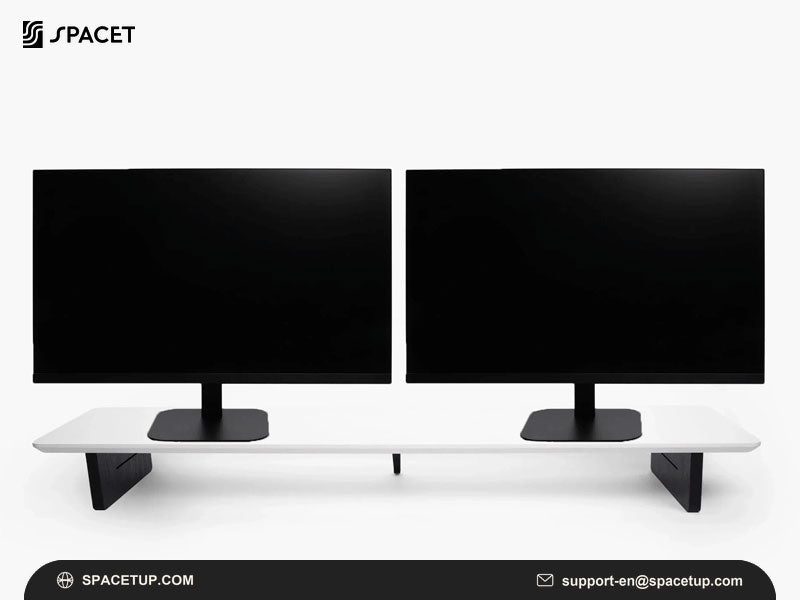
Yes. A wide shelf may provide more organization, but width should remain proportional to the desk. Depth is equally important because an excessively deep shelf can push the keyboard closer to the desk edge.
Leave enough room around the shelf for the equipment and movements required by your normal workflow.
Does long-term stability matter?
Load capacity should be checked before placing a heavy display or multiple devices on a riser. Wider shelves also need sufficient structural rigidity to maintain their shape under the intended load.
For that reason, compare manufacturer weight limits and construction details rather than judging support from appearance alone.
When does a monitor stand become too expensive?
Price becomes difficult to justify when the additional features do not solve problems in the actual workspace. Some users only need a stable elevated surface, while others benefit from integrated storage, premium materials or modular accessories.
The question of whether Monitor stands worth buying therefore depends on the functions you will actually use rather than price alone.
Should You Buy a Monitor Riser, Desk Shelf or Monitor Arm?
A monitor riser, desk shelf and monitor arm solve different workspace problems. A riser provides fixed elevation, a desk shelf combines elevation with organization, and an arm provides greater screen-positioning flexibility. Choosing between the three becomes easier when screen movement and storage are treated as separate requirements.

When does a compact monitor riser make sense?
A compact riser works well for a fixed single-monitor workstation where the main requirement is straightforward elevation.
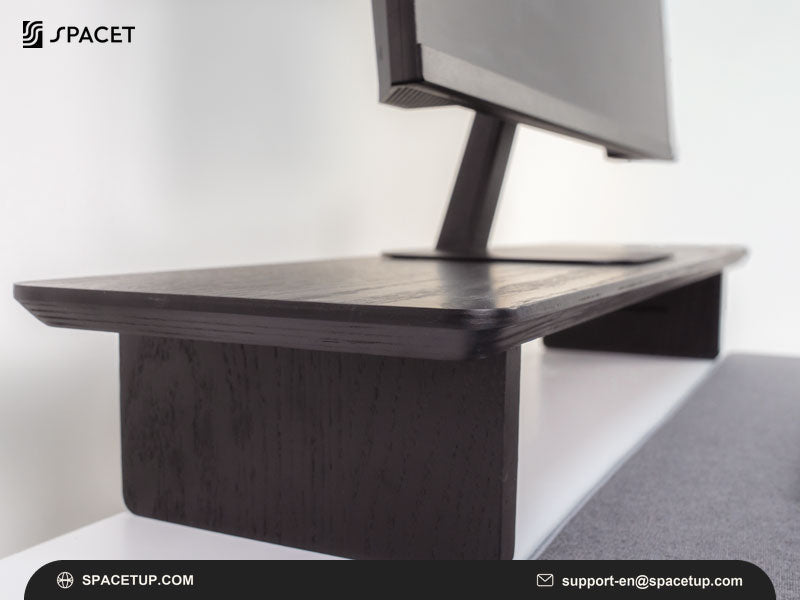
The Spacet Monitor Stand v2.0 follows this simpler approach, creating an elevated platform while preserving usable space underneath.
When does a desk shelf make more sense?
A desk shelf is more appropriate when monitor elevation is only one part of the problem. Wider platforms can create zones for displays, laptops and accessories while adding storage underneath.
For a laptop-and-monitor setup, the Laptop Dock v2.0 can free desktop space by holding a MacBook or ultrabook vertically. This makes the accessory relevant when the main Reddit-style pain point is desk clutter rather than monitor elevation alone.
When is a monitor arm the better solution?
Choose a monitor arm when frequent height changes, rotation, swivel or independent screen positioning are priorities. A monitor arm can also free the surface directly beneath a display.
Multi-screen mounting needs should be evaluated separately. Someone researching triple monitor stand, for example, should prioritize mounting capacity, VESA compatibility, per-screen weight limits and independent positioning rather than selecting a desk shelf as a substitute for dedicated mounting hardware.
Which Spacet Options Match Common Monitor Stand Priorities?
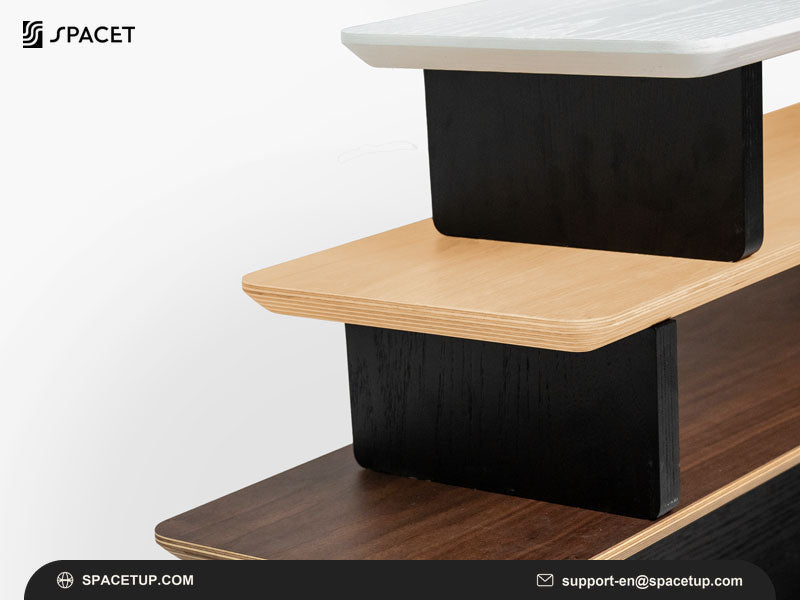
Spacet offers several approaches rather than treating every workstation as the same problem. A compact stand suits basic elevation, a wider shelf supports organization, and a modular system provides more room for future changes. Comparing these formats against your own desk requirements is more useful than choosing by product category alone.
Which option suits a simple setup?
The Monitor Stand v2.0 is the most direct option when the priority is raising a display without turning the entire desk into a larger organization system.
This format can work particularly well for compact single-screen workstations.
Which option helps clear laptop clutter?
The Laptop Dock v2.0 holds a laptop vertically to recover usable desk space around the monitor, keyboard and other daily equipment.
For users switching between a laptop and an external display, vertical docking addresses a different problem from screen elevation and can make the overall workstation easier to organize.
Which option keeps small desk essentials out of the way?
The Desk Tray Drawer v2.0 adds dedicated storage for smaller essentials such as pens, cables and watches. Spacet states that the drawer fits under its desk shelves, making it relevant when Reddit-inspired buying criteria include reducing visible clutter without adding another large object to the desktop.
For a desk with two closed laptops or a laptop-and-tablet combination, the Dual Laptop Dock v2.0 provides another space-saving route by holding up to two compatible devices vertically.
How Do Budget and Premium Monitor Stand Choices Differ?
The main difference is not simply how high the monitor sits. As monitor stands move from basic risers toward desk shelf systems, additional cost may cover larger dimensions, materials, storage, modularity and integrated organization. Buyers should identify which of those additions provide meaningful value for their particular workstation.
|
Type |
Main function |
Suitable for |
|
DIY riser |
Basic elevation |
Specific dimensions or tight budgets |
|
Compact stand |
Finished elevated platform |
Simple monitor setups |
|
Desk shelf |
Elevation and organization |
Home offices and structured desks |
|
Modular shelf |
Expandable organization |
Changing workstations |
|
Premium shelf |
Integrated workspace design |
More complete desk setups |
A DIY solution can be perfectly reasonable when only a specific platform size is required. A purpose-built system becomes more relevant when construction, finish, storage and accessory compatibility are also priorities.
How Can You Turn Reddit Advice Into a Practical Buying Checklist?
Translate community opinions into measurable requirements before purchasing. Monitor-base dimensions, desk depth, weight capacity and desired storage can all be verified, while preferences such as materials and appearance remain personal. This process prevents a highly recommended product from becoming a poor fit for your particular desk.

Check these points:
- measure the monitor base width and depth;
- confirm monitor weight against the stand capacity;
- measure available desk width and depth;
- decide how much elevation is actually needed;
- identify what should be stored underneath;
- consider whether the workstation will expand;
- decide whether fixed elevation or adjustable positioning is required.
If device clutter is the bigger problem, a vertical dock or dedicated drawer may add more practical value than replacing the entire monitor platform. Match the accessory to the specific space problem identified during the checklist.
From Community Research to a More Organized Desk with Spacet
Reddit discussions can reveal practical questions that product specifications alone may not answer, but the final choice still needs to fit the dimensions and workflow of your own desk. Spacet offers monitor stands, desk shelves and modular workspace systems covering different levels of elevation, storage and organization.
Instead of choosing a monitor stand because it appears frequently in community discussions, define the workspace problem first and select only the features that solve it. This approach creates a cleaner, more functional desk without adding unnecessary hardware.
Contact Spacet
- Website: spacetup.com
- Email: support-en@spacetup.com
- Location: Toronto, Canada

Partager:
Best Monitor Stands for Desk: Top Options for Every Workspace
Best Dual Monitor Stand for 32 Inch: Key Features to Consider